
Appearance
Blast for Paymenter
by Krapple Studios
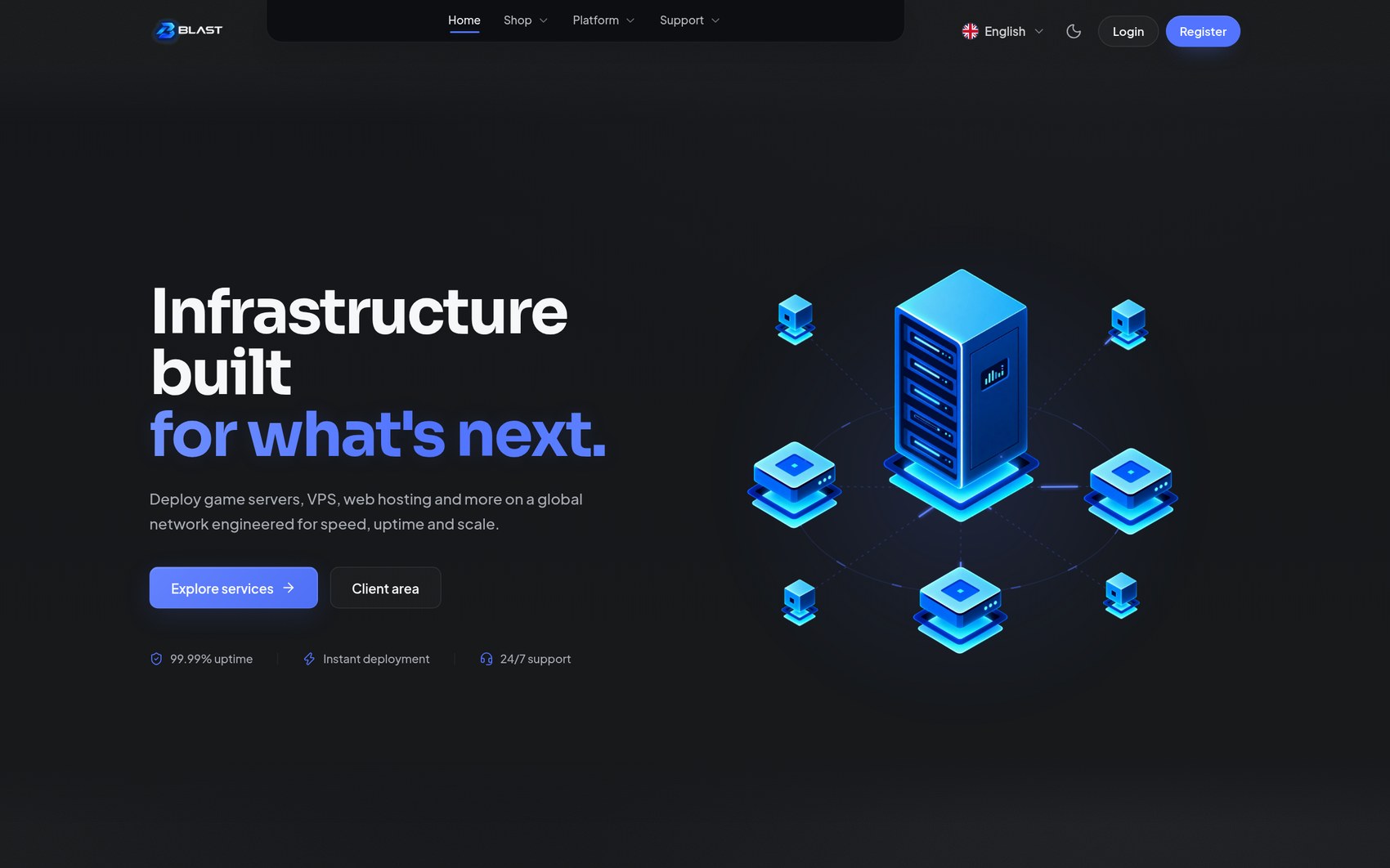
Blast is a premium theme for Paymenter that covers the whole customer journey: the storefront, product pages, checkout, the client area, the sign-in pages, and the small pages most themes forget — errors, maintenance, cookies and language.
Everything is configured visually in Blast Studio, the built-in live editor. You edit on the left, your real store renders on the right, and nothing goes live until you press Publish.
Charcoal is the material. Blue is the light. That is the design language behind every screen, and it is fully re-brandable — your colours, your fonts, your layout.
What it does
- A complete storefront, not just a skin: homepage, categories, product pages, configurator, cart and checkout.
- Blast Studio, a full-page live editor with drafts, publishing and revision history. You cannot break your live site by experimenting.
- Light and dark mode that are both designed, not one inverted from the other. Your brand colour is used exactly in dark mode and gently tuned for contrast in light mode.
- Five client-area layouts, five store layouts, six headers and fourteen sign-in designs.
- Build your own pages at addresses like
/p/minecraft-hostingfrom the same sections as your homepage, each with its own SEO. - Branded e-mails and invoices, composed block by block in Studio.
- No core modifications. Blast is a theme plus a companion extension, so updating Paymenter never touches your Blast files.
A look at the main screens
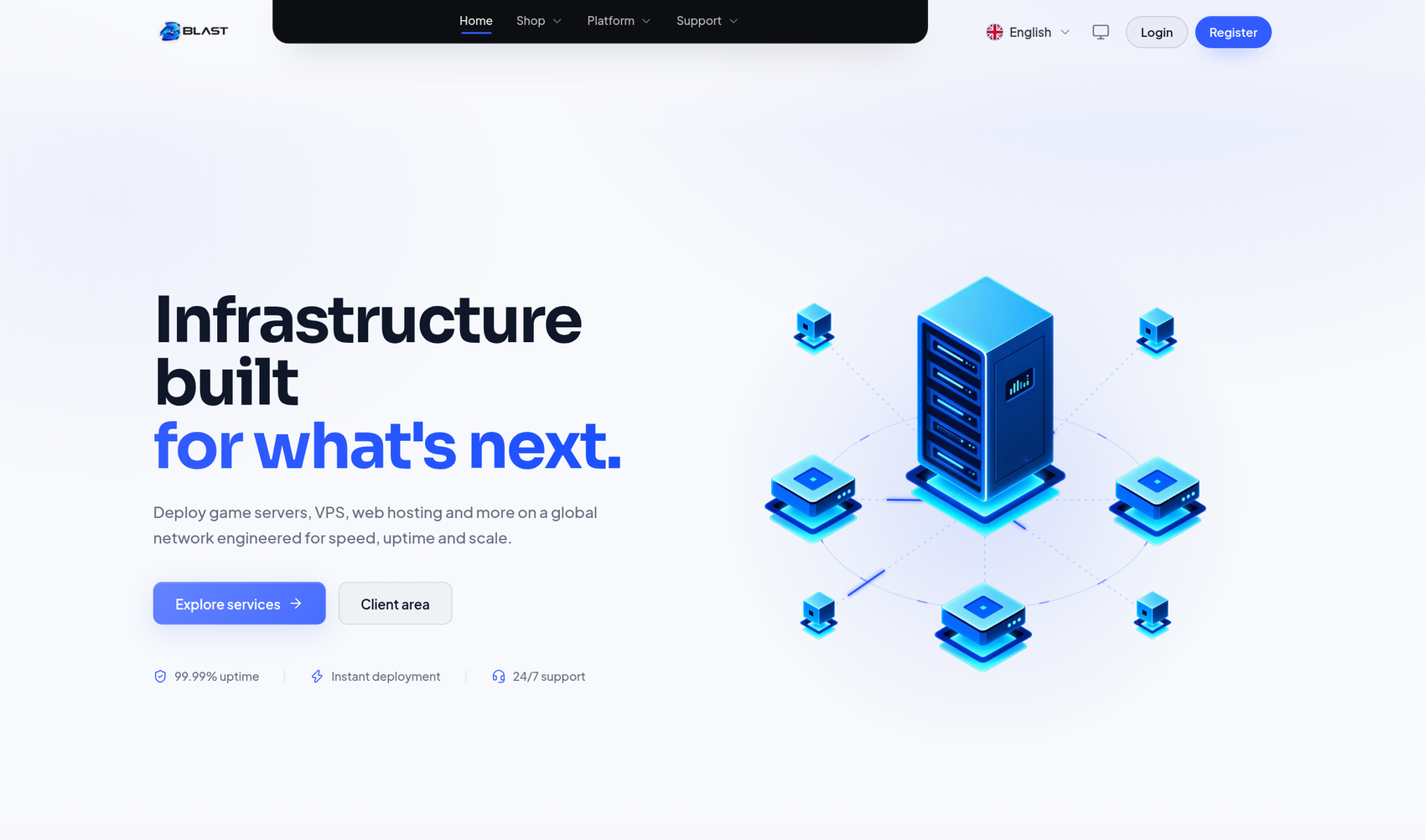 | Homepage, light — the designed light twin of the charcoal look |
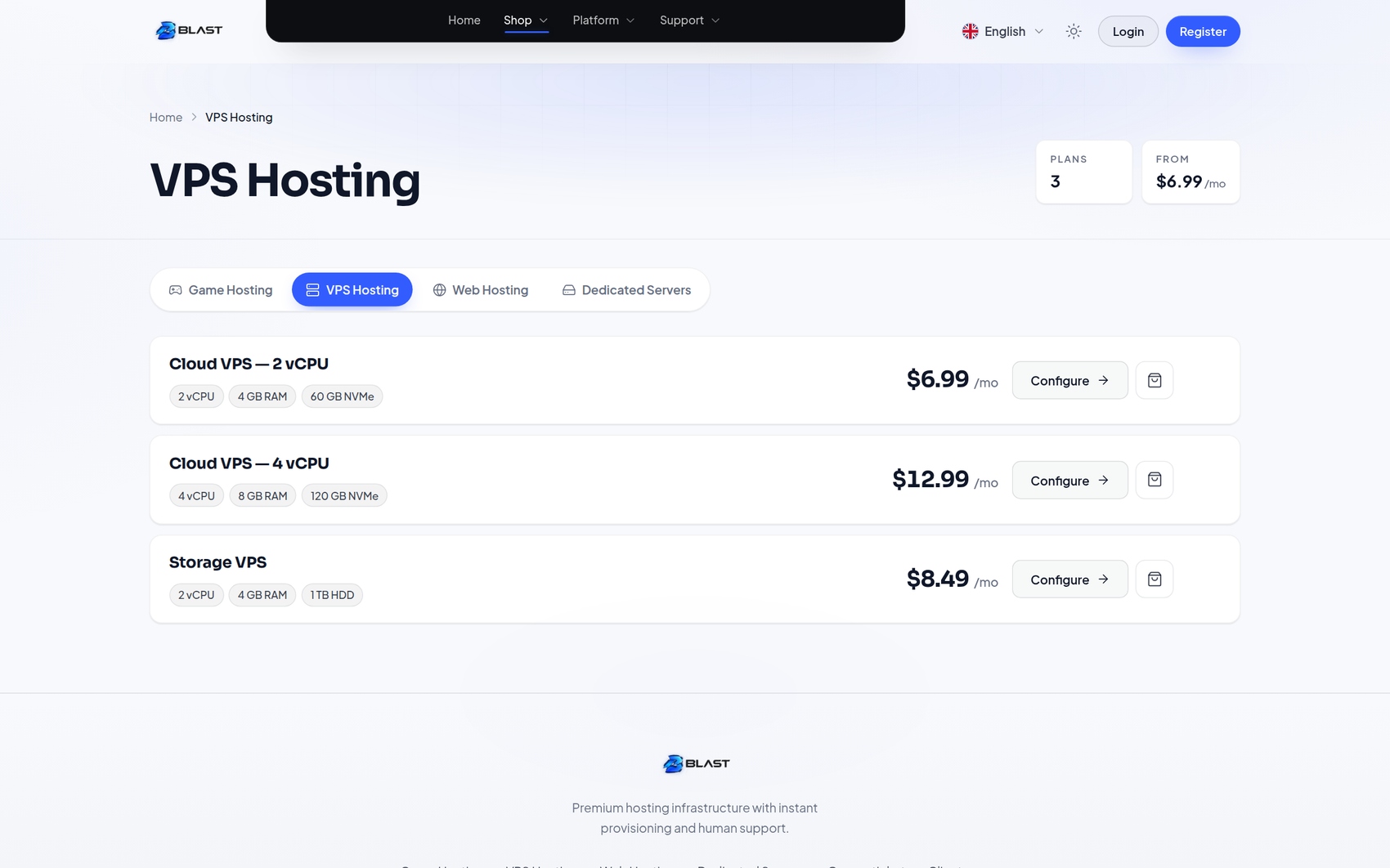 | Store — product cards with real prices from Paymenter |
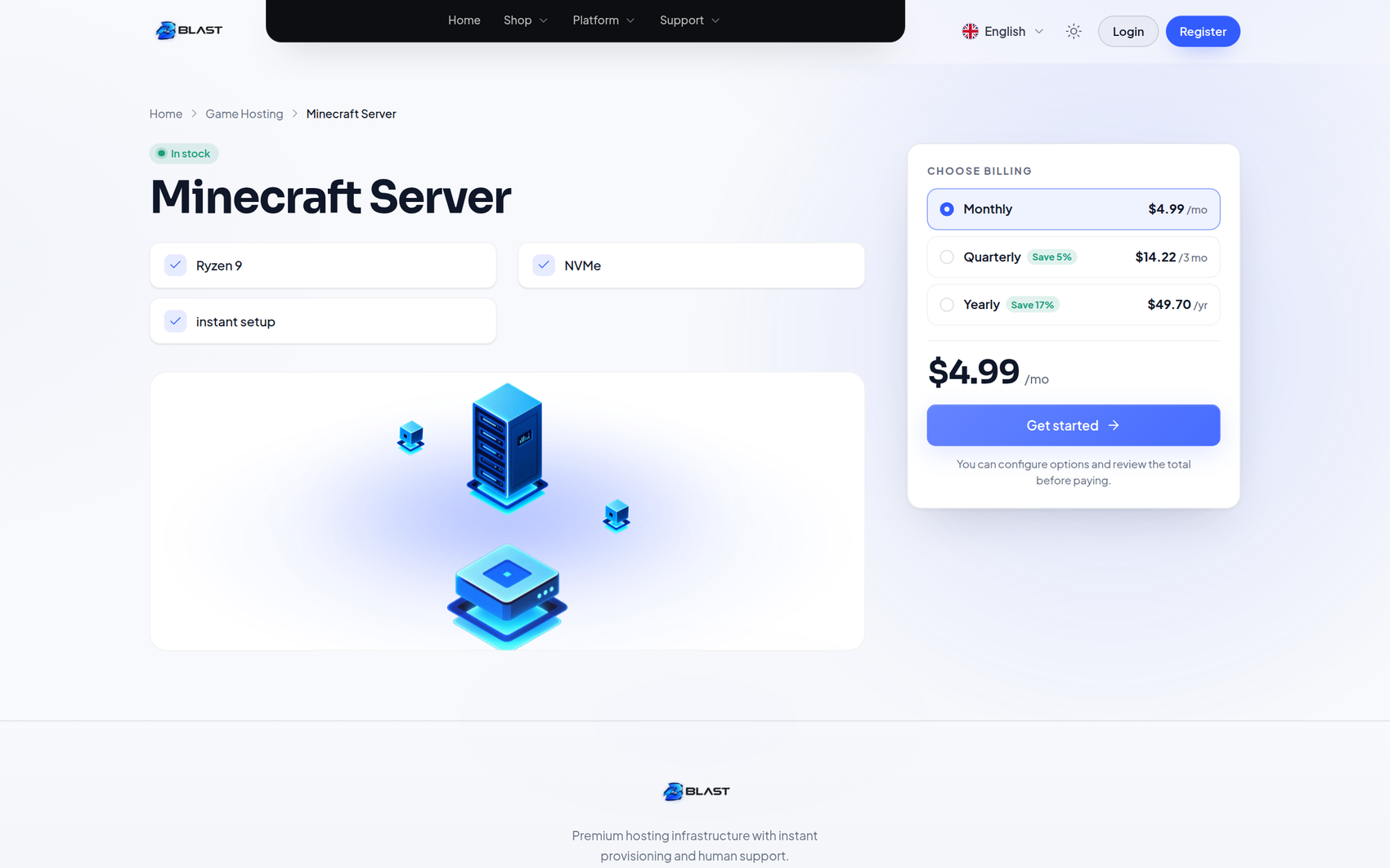 | Product page — configurator, specs and FAQ |
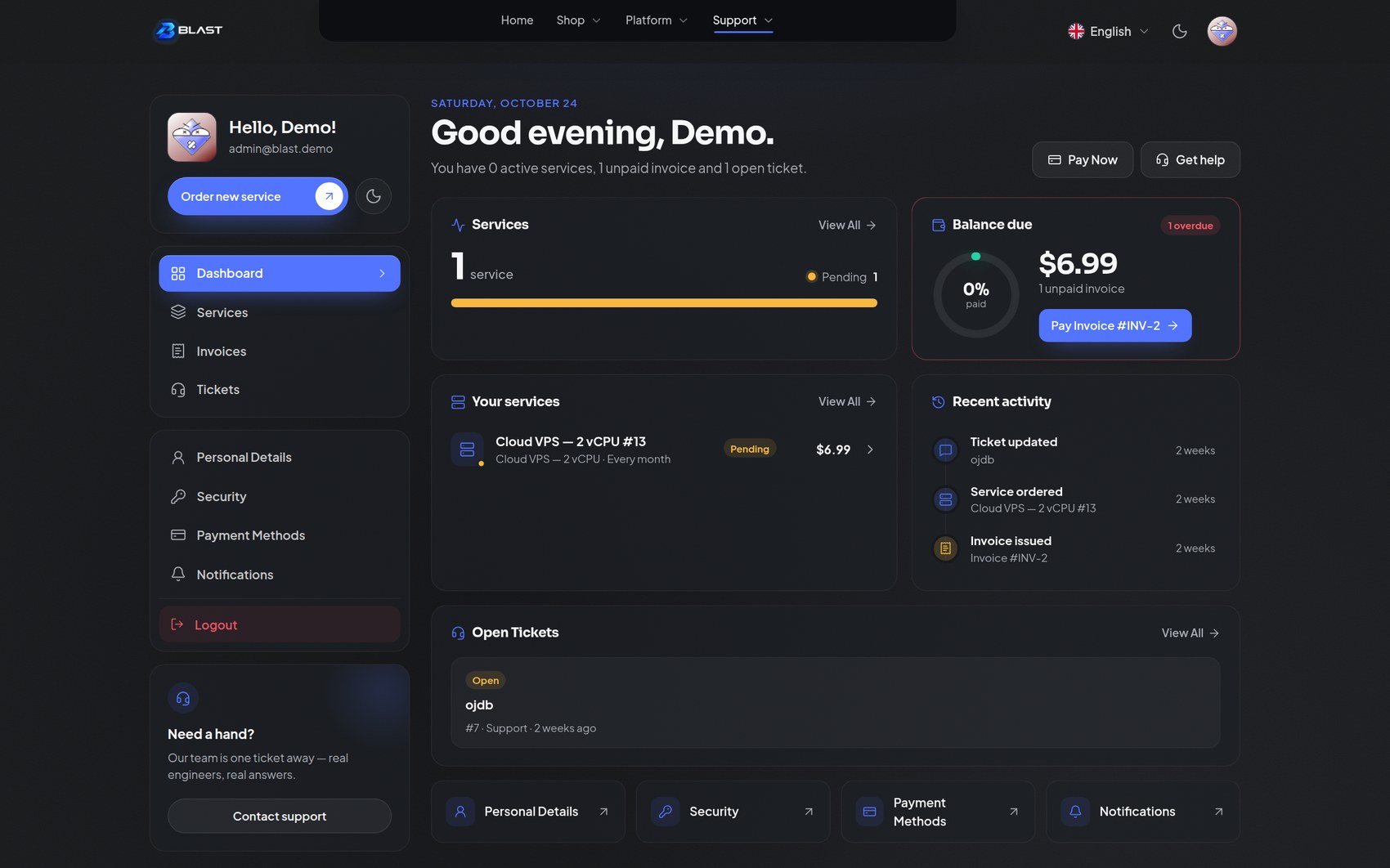 | Client area — services, balance due and recent activity |
There is a screenshot gallery with every main screen.
Requirements
| Paymenter | 1.5.8 or newer (tested on 1.5.8 and 1.5.9) |
| PHP | 8.3 or 8.4 — the same as Paymenter's own requirement |
| Database | Whatever Paymenter uses: MySQL, MariaDB, PostgreSQL or SQLite |
| Node.js | Not required. The theme's assets ship pre-built |
No extra PHP extension, Composer package or server software is needed — see Compatibility for the details.
Install in a few minutes
sh
# from the folder containing docker-compose.yml and the two theme folders
cp -a themes/blast            ./themes/blast
cp -a extensions/Others/Blast ./extensions/Others/Blast

docker compose exec paymenter php artisan optimize:clear
docker compose exec paymenter php artisan view:clear
Then in the admin area:
- Extensions → Blast → Enable — this creates the extension's own tables.
- Settings → Theme → Blast → Save — your storefront switches over immediately.
- Open Blast Studio in the sidebar and start customising.
On a normal (non-Docker) install, copy the two folders into your Paymenter root and run the two php artisan commands on the server. The full walkthrough, including updating and uninstalling, is in Installation.
Set these first
Your logo, brand colour and homepage title are the three settings that make the biggest difference in the first five minutes. Everything else can wait.
How Blast Studio works
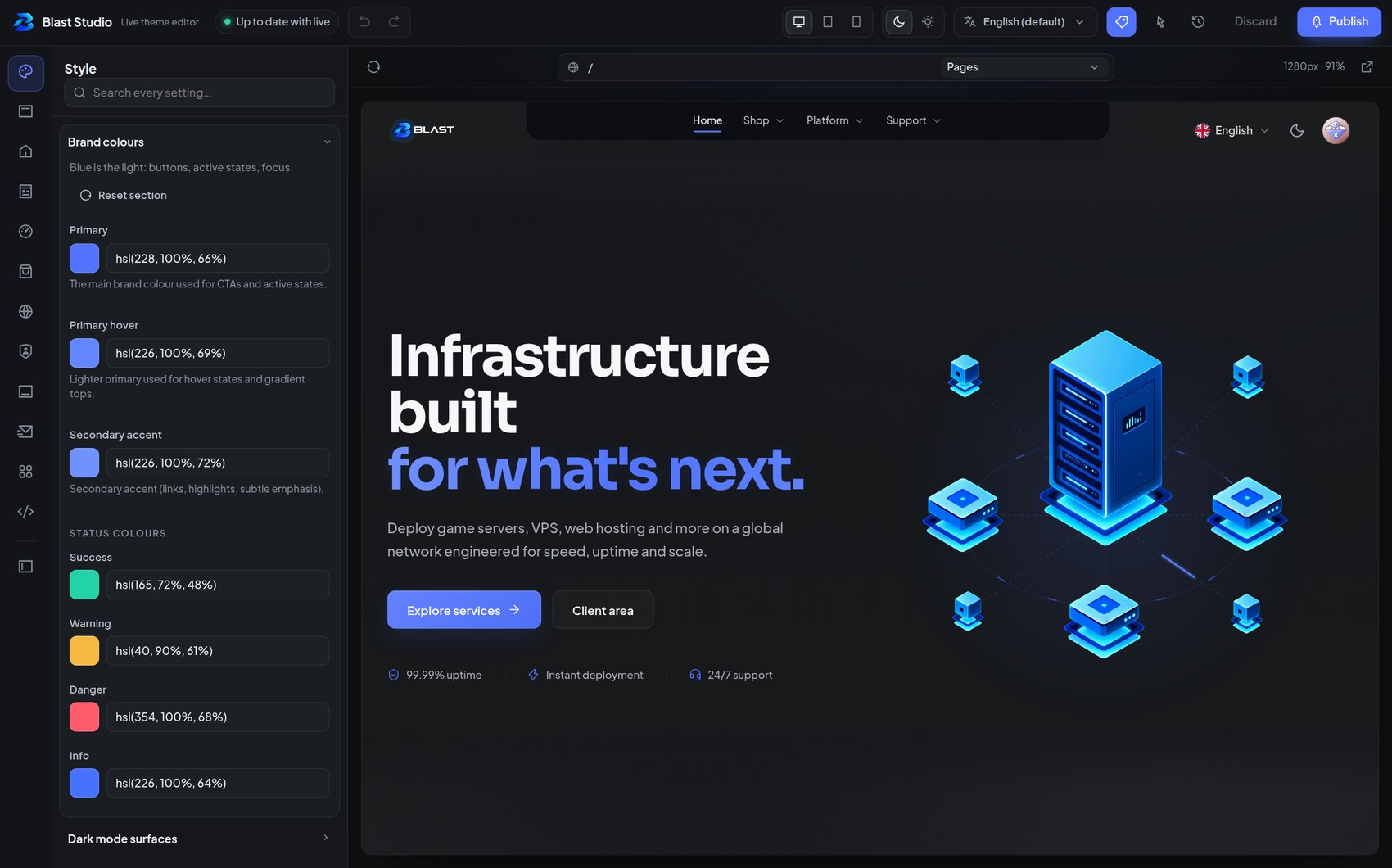
Studio never edits your live site directly. Every change goes into a draft:
- Draft — your work in progress, visible only to admins inside Studio.
- Publish — pushes the draft live instantly, and saves a named revision.
- Discard — throws the draft away and returns to the published state.
Point at anything in the preview and a label tells you what it is — a blue label names a settings group, an amber label names a single text field. Click it and you are editing that exact setting. Press H to toggle the labels, I for click-to-edit mode.
Read Blast Studio for the full tour, shortcuts and the media library.
What your customers see
Nothing new to learn. They browse your categories, configure a plan, check out and manage their services exactly as they do in Paymenter today — only the design changes. The features they rely on keep working:
- real products, prices, stock and billing periods from Paymenter
- Paymenter's own cart, checkout and payment gateways
- the same client area pages: services, invoices, tickets and account
- the same sign-in, registration, password reset and two-factor flow
Blast presents all of it; it never replaces Paymenter's logic.
Where to go next
| If you want to… | Read |
|---|---|
| install or update | Installation |
| learn the editor | Blast Studio |
| change colours, fonts and logo | Branding & style |
| change the header, menu and footer | Header & navigation |
| rearrange the homepage | Homepage |
| set up products, carts and checkout | Store & checkout |
| restyle the client area | Client area |
| change the sign-in pages | Sign-in pages |
| build a landing page | Page builder |
| brand e-mails and invoices | E-mails & invoices |
| handle errors, cookies, SEO and languages | Pages, SEO & privacy |
| translate your text | Translations |
| fix a problem | FAQ & troubleshooting |
Support
Before opening a ticket, check FAQ & troubleshooting — it covers the most common questions, from permissions after an update to clearing caches.
When you do reach out, include your Paymenter version (shown in the admin footer) and a short description of the page you were editing.