
Appearance
Offsite Backups
by Krapple Studios
Offsite Backups keeps a copy of your server backups outside the panel and outside your nodes. If a node dies, a disk fails, or a server is deleted by mistake, the backups are still in your bucket or SFTP server and can be restored from the panel.
It installs as a single extension on Pterodactyl Panel 2.0, needs no core file edits, and appears as one Offsite Backups section in the admin area. Customers keep using the same Backups page they already know.
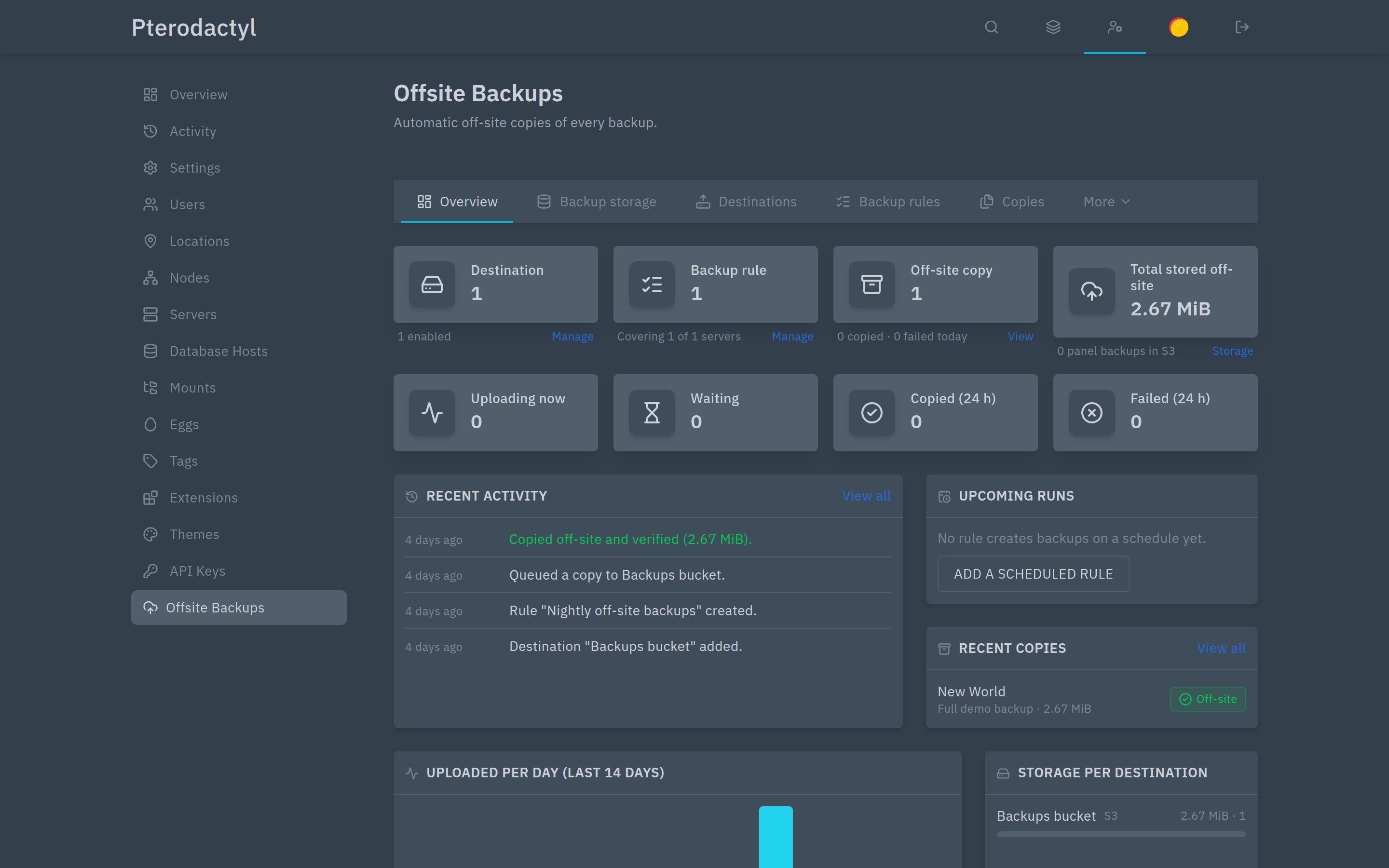
What it does
- Copies existing backups to one or more destinations — any S3-compatible storage, or SFTP.
- Creates backups on a schedule (for example every 24 hours at 03:00), then copies them.
- Streams directly to S3, if you prefer no backup to touch the node's disk at all.
- Verifies every copy with a checksum after upload, and records it.
- Applies retention: keep the newest N, a grandfather-father-son scheme, or a maximum age.
- Restores an off-site copy to its server, or into a different server, straight from the panel.
- Keeps copies of deleted servers for a while, so they can still be recovered.
- Reports health: a worker that stops, failed copies and queue depth are visible in the admin area, by email, or through a Discord webhook.
- Optionally encrypts every copy before it leaves the panel.
Screens
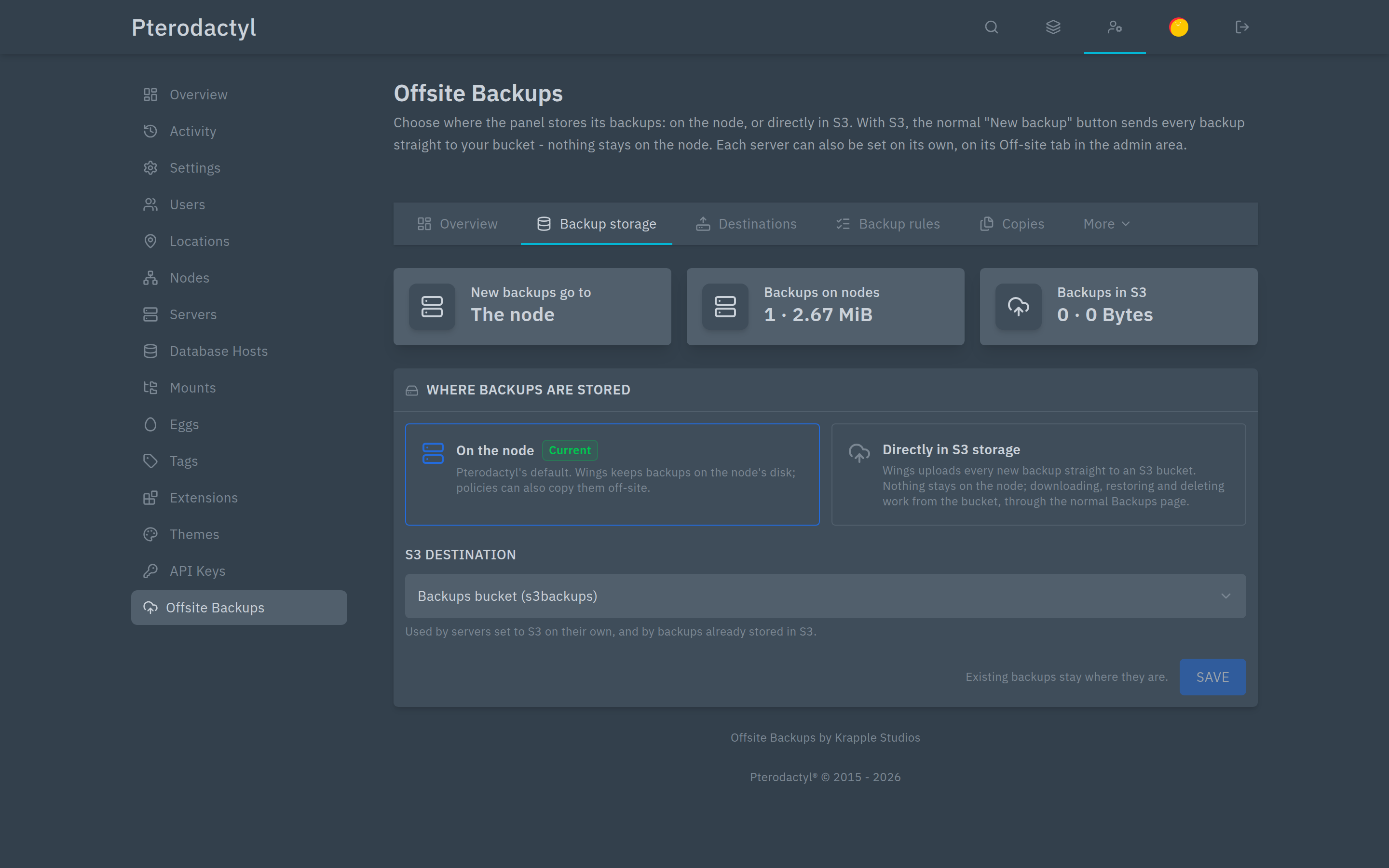 | Backup storage — keep backups on the node, or upload new ones straight to S3. |
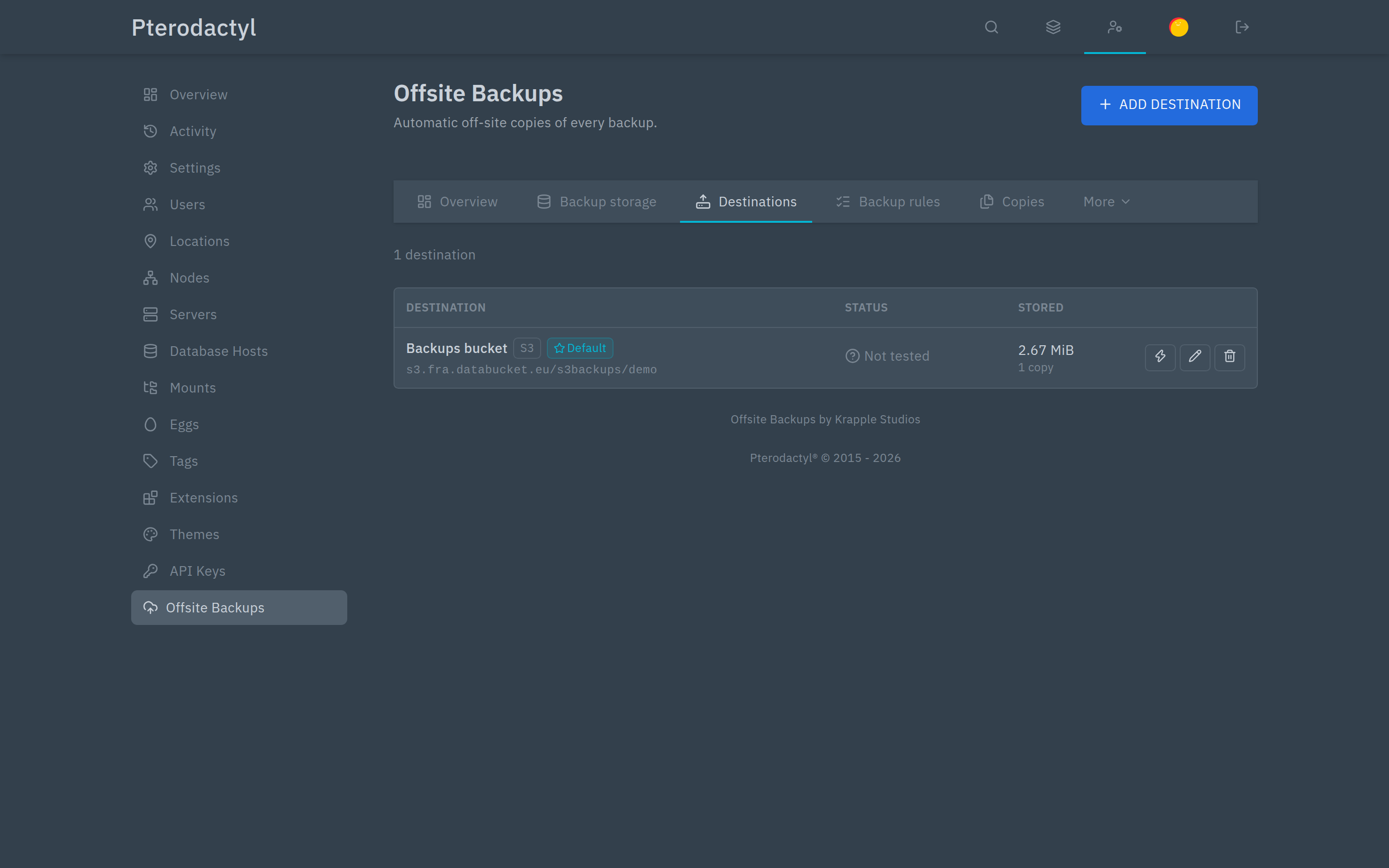 | Destinations — buckets and SFTP targets, each with a step-by-step connection test. |
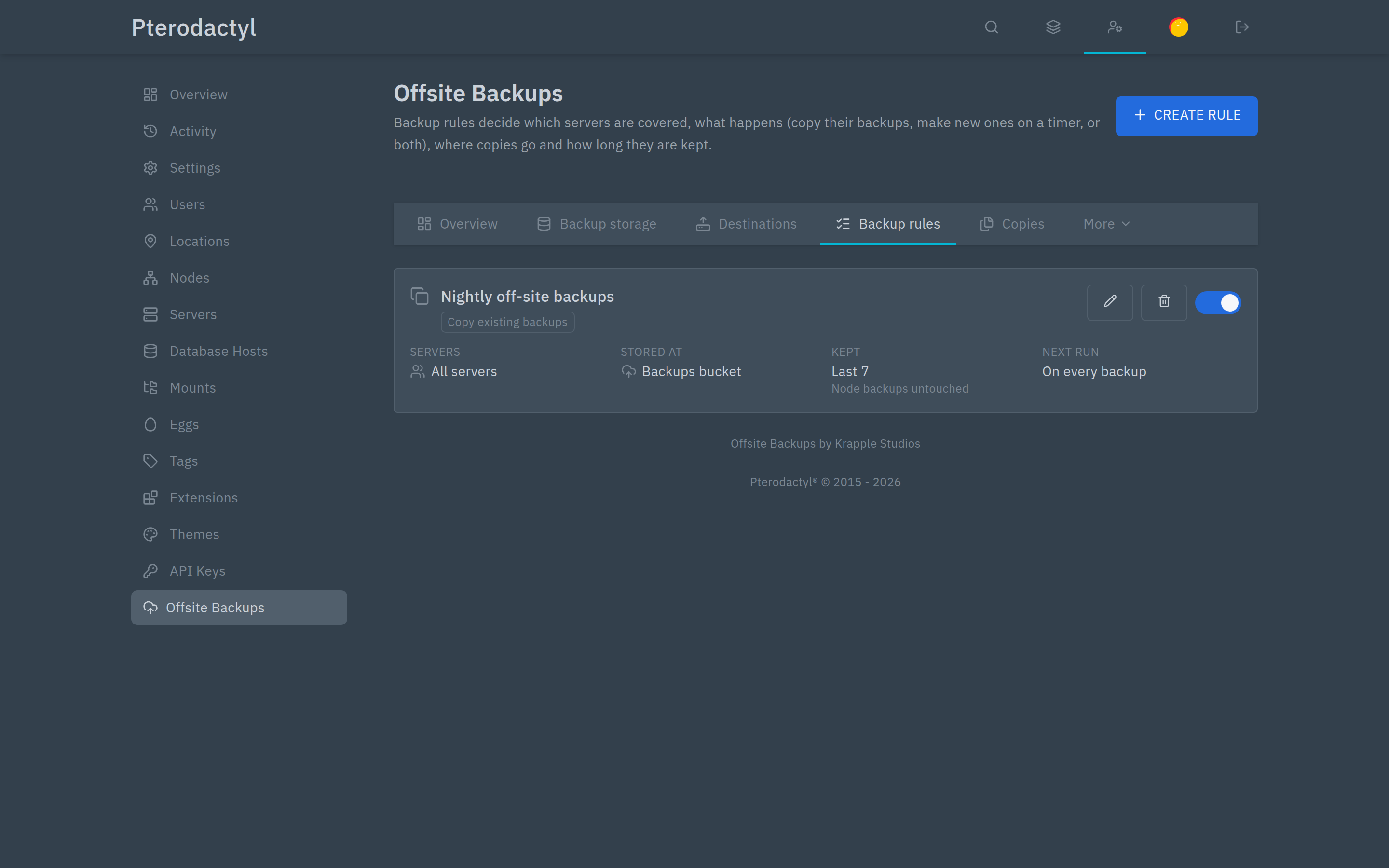 | Backup rules — which servers, where, how often, and what to keep. |
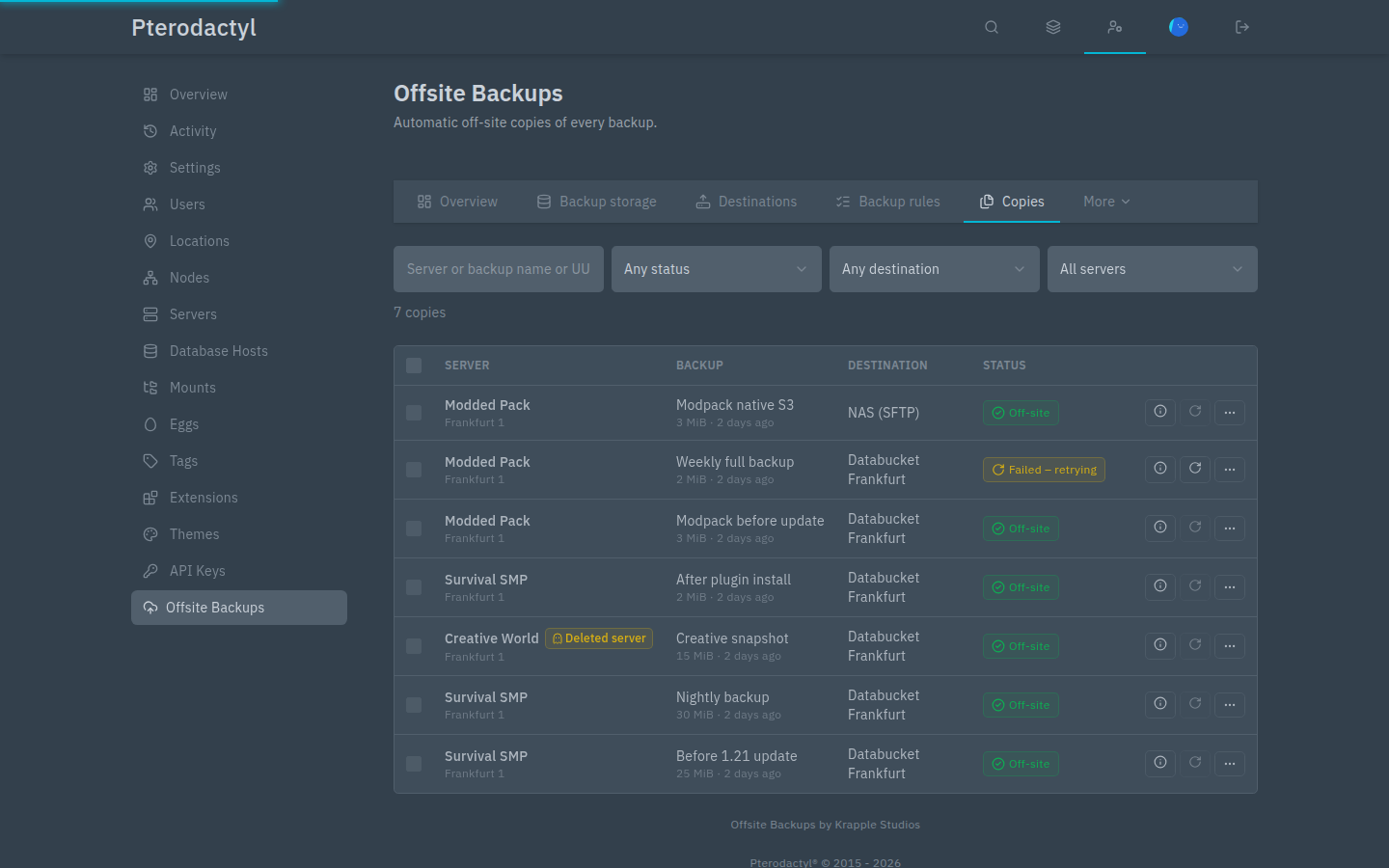 | Copies — every off-site copy, its size, checksum and state. |
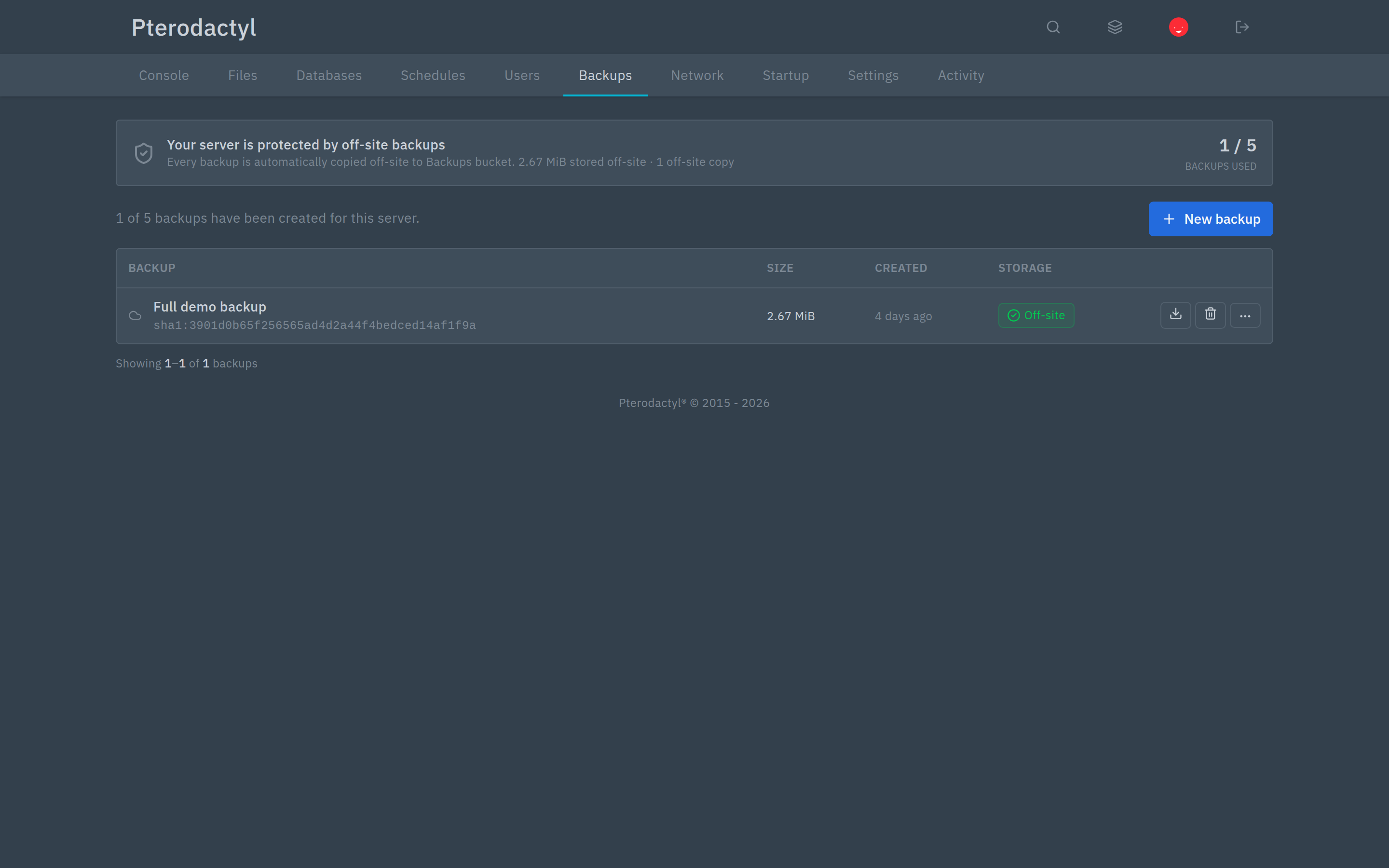 | What customers see on their normal Backups page. |
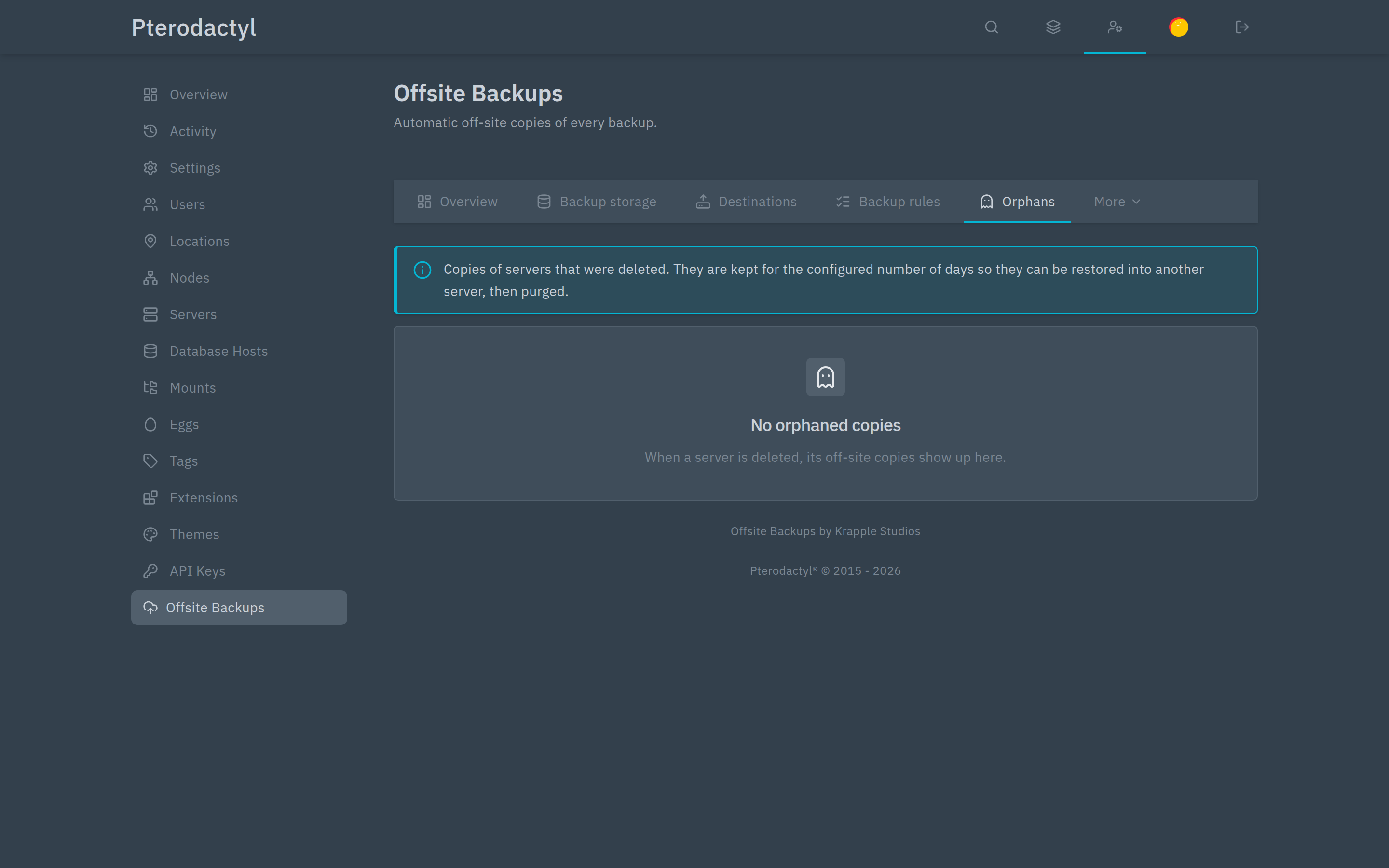 | Orphans — objects in the bucket that no server claims. |
Requirements
| Panel | Pterodactyl 2.0 (v2.0.0-beta.2 or newer) |
| SDK | 2.0.0-beta.6 or newer (ships with the panel) |
| PHP | 8.3 or newer, with sodium, curl, openssl and mbstring |
| Storage | Any S3-compatible bucket, or an SFTP server you control |
| Shell access | To run the transfer worker and the maintenance commands |
| Panel cron | Required for retention, retries and scheduled backups |
Supported storage includes Amazon S3, Cloudflare R2, Backblaze B2, Wasabi, Hetzner Object Storage, DigitalOcean Spaces, Linode, Scaleway, MinIO, Ceph and plain SFTP.
Install in five minutes
sh
php artisan p:extension:install /path/to/offsite-backups-1.0.0.pteroext --enable
php artisan optimize:clear
php artisan offsite-backups:work      # keep this running
Then, in the panel:
- Admin → Offsite Backups → Destinations → Add destination — enter your bucket details, click Test connection, then Create destination.
- Backup rules → Create rule — choose the servers, tick the destination, choose whether to copy existing backups, create new ones on a schedule, or both, and set retention.
- Open a server → Backups → New backup. The row should go Uploading → Verifying → Off-site.
Check everything at any time:
sh
php artisan offsite-backups:statusSee Installation for the full walkthrough, including the worker setup that most people miss.
The transfer worker is not optional
Backups can be tens of gigabytes. The panel's normal queue worker is not suited to transfers that long, so Offsite Backups runs its own worker. Without it, copies stay queued forever. See Installation.
What your customers see
Nothing new to learn. On their normal Backups page they get:
- a banner confirming their server is protected off-site, with space used
- a Storage column showing Off-site, In S3, Local only, or live upload progress
- Kept off-site backups that can still be restored or downloaded after the local copy is gone
Whether they can download or restore depends on the permissions your panel gives them.
Selling it as an add-on
Off-site storage can be enabled per server, with a maximum number of copies and a maximum size. Those values are on the server's admin page, and in the Application API, so a billing system can turn the add-on on with an invoice and off when it is cancelled.
See Billing & API for the endpoints and field names.
Encryption
Encryption is optional and off by default. When enabled, copies are encrypted in the panel before they are uploaded.
Export the recovery kit before you rely on it
Encrypted copies need the recovery kit and the panel's APP_KEY. If you lose both, nobody — including us — can decrypt those copies. Export the kit under Keys → Export recovery kit and keep it outside the panel.
Good to know
- The extension does not delete objects in your bucket when you uninstall it. Clean the bucket yourself if you want it emptied.
- Off-site copies are not free space. Budget roughly the size of your archives multiplied by the number of copies you keep. Providers such as R2 and Hetzner do not charge for downloads, which matters when you restore.
- Retention is conservative by default. It keeps everything until you set a limit, and locked or unverified copies are never deleted.
- A stopped worker loses nothing. Copies stay queued and resume when it comes back.
Getting help
Include:
- the exact message shown in the panel or the log
- the copy's identifier, if there is one
- your panel version, and the output of
php artisan offsite-backups:status --json
Never send storage keys, bucket secrets, recovery kits or your .env.
See Troubleshooting, or contact [email protected].