VPS Instances
A PteroCloud instance is a virtual machine. Customers create and manage
instances from the panel's Cloud area (/cloud); operators can also manage
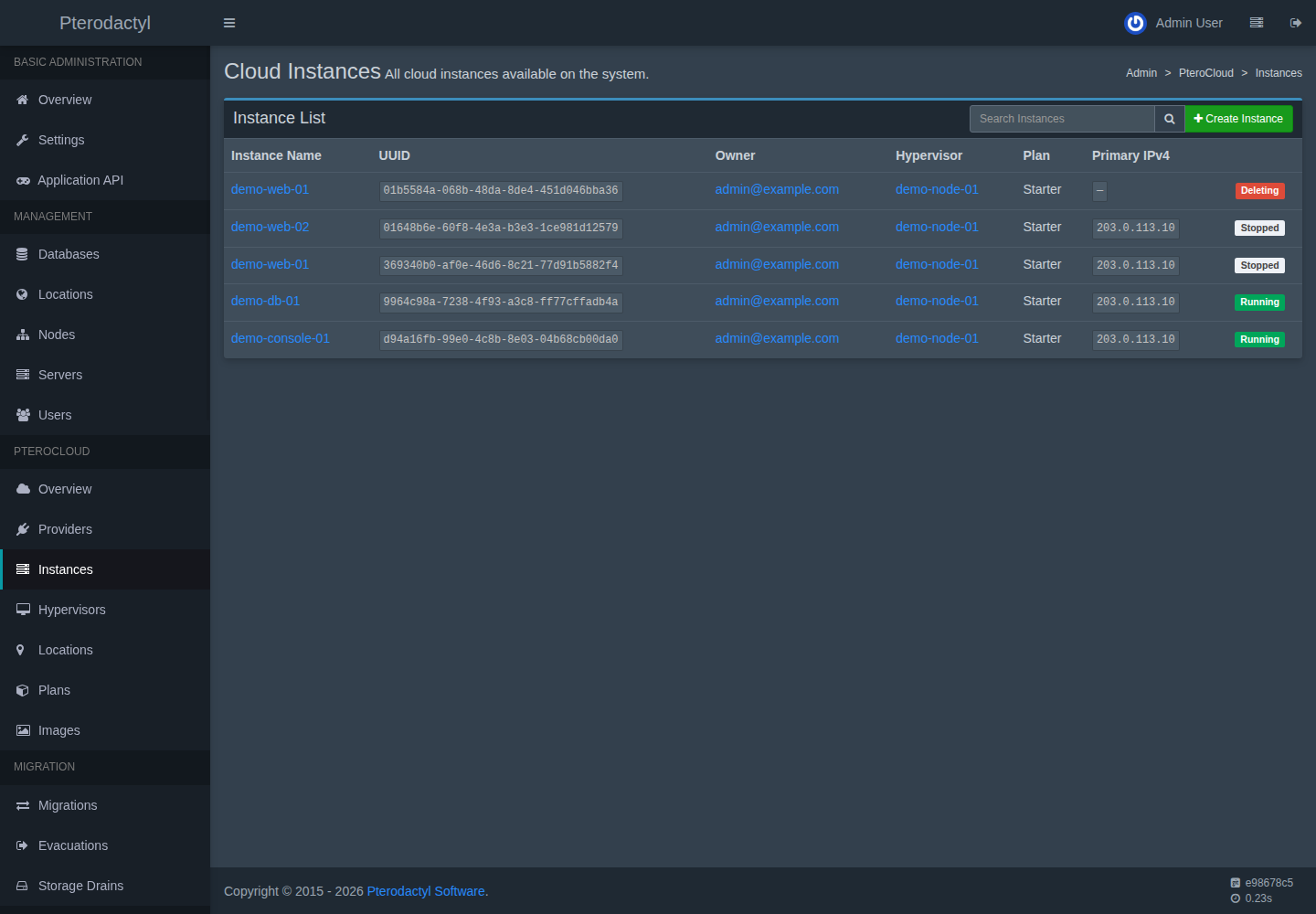
them from Admin → PteroCloud → Instances.
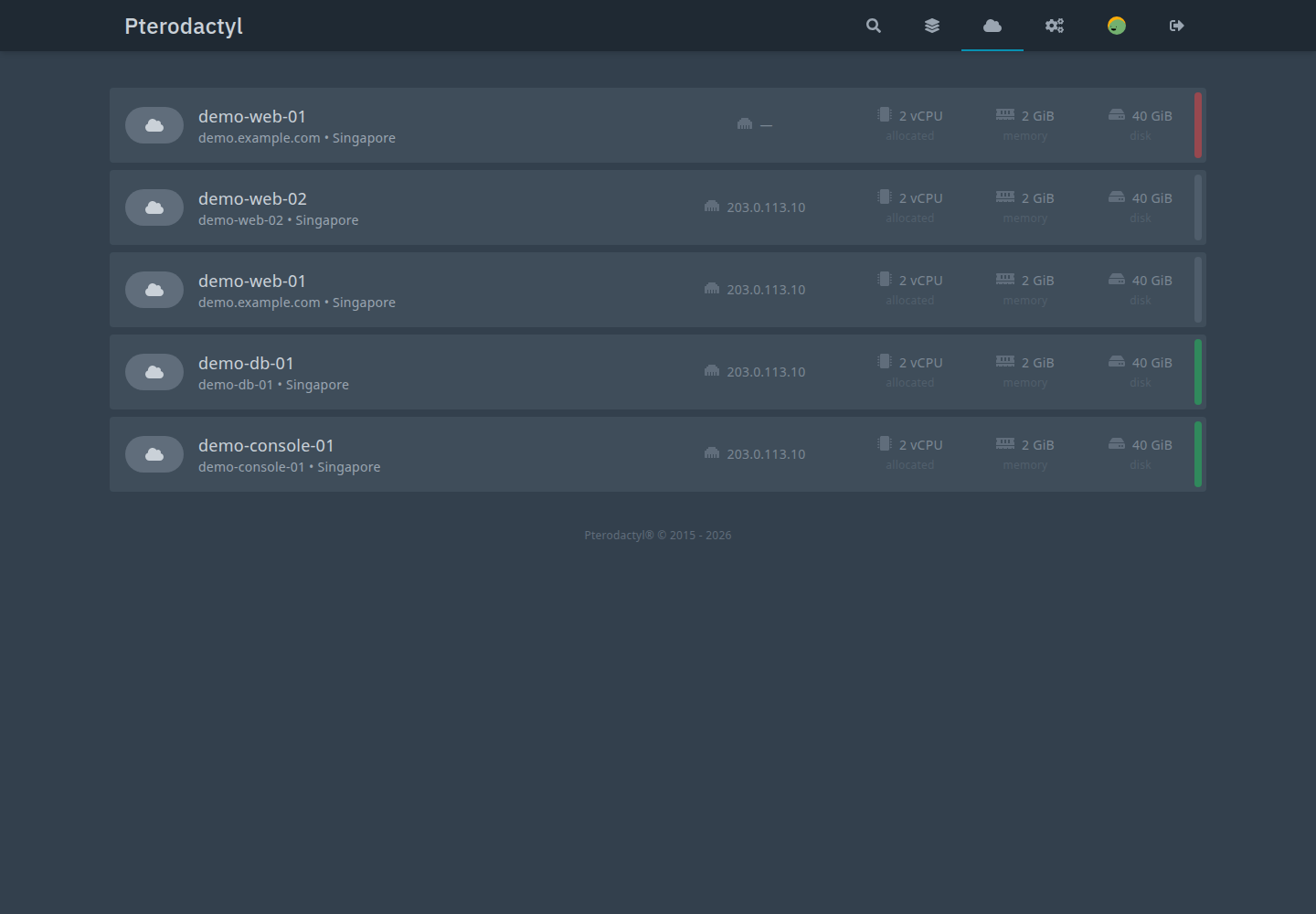
Customer pages
| Page | What it does |
|---|---|
| Provisioning | Create an instance and watch it build. |
| Console & SSH | Graphical, serial and SSH access. |
| Networking | IPs, private networks, floating IPs, firewall, rDNS, bandwidth. |
| Storage & volumes | Root disk, extra volumes, resize. |
| Backups & snapshots | Durable backups and fast restore points. |
| Media / ISO | Mount an ISO and boot from it. |
| Rebuild | Reinstall the OS on the same identity. |
| Rescue | Boot a rescue medium without touching the root disk. |
| Schedules | Timezone-aware semantic actions. |
| Startup scripts | Cloud-init user data and first-boot scripts. |
| Activity | The instance's audit trail. |
Instance lifecycle
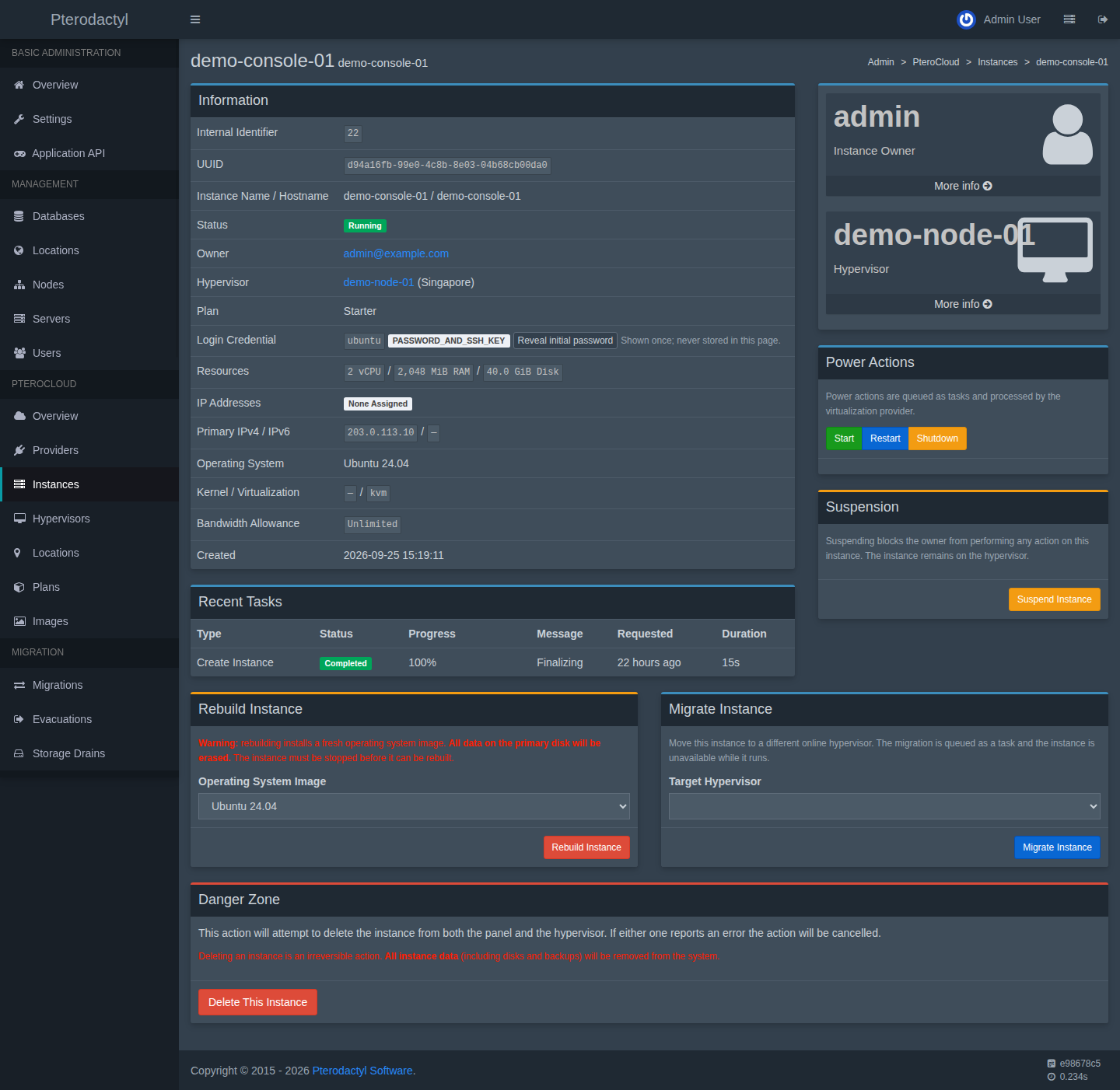
pending → scheduling → reserved → cloning → configuring → booting
        → verifying → running
Failure paths land in failed (with rollback) or rollback_failed (admin
follow-up). See Provisioning.
Operator view
Honesty about the interface
Console, networking, storage, backups, media, rebuild, activity and settings have a customer UI. Rescue and schedules are implemented at the API level but have no dedicated customer page in this build; the pages below document the API and the operational procedure. Resource add-ons are admin-assigned. These gaps are stated rather than hidden.
Related
- Tasks
PC-PROV-###/PC-CON-###/PC-BAK-###/PC-SCH-###in the error reference