License Activation
License activation is the first installation step. The installer verifies the license before making any change to the panel.
Requirements
KRAPPLE_PRODUCT— the product slug (pterocloud).- A license key, supplied only via:
- the
KRAPPLE_LICENSE_KEYenvironment variable, or - a protected file (
KRAPPLE_LICENSE_KEY_FILE, default/etc/pterocloud/license.key, mode0600).
- the
- The pinned Ed25519 public key (
KRAPPLE_PUBLIC_KEY) and key id (KRAPPLE_KID). Defaults ship with the extension; override only if the licensing server rotates keys.
The key is never accepted as a CLI argument, never logged and never rendered in full. The admin UI and diagnostics show a masked form only.
Installer gate
install.sh
  └─ license-verify.php   (activate / resume + verify signature)
       ├─ VERIFIED   → continue install
       └─ DENIED     → STOP, print Reason, make no changes
Normalized installer reasons
| Reason | Meaning |
|---|---|
LICENSE_KEY_MISSING |
No key in env or protected file. |
LICENSE_SERVER_UNAVAILABLE |
Licensing API unreachable on first install. |
LICENSE_INVALID |
Invalid key / bad signature. |
LICENSE_EXPIRED |
Subscription window lapsed. |
LICENSE_SUSPENDED |
Suspended by the vendor. |
LICENSE_REVOKED |
Revoked/blacklisted. |
LICENSE_PRODUCT_MISMATCH |
Key is for another product. |
LICENSE_INSTALLATION_LIMIT |
Installation cap reached. |
LICENSE_VERSION_NOT_OWNED |
Version not covered by the license. |
INSTALL_FAILED_PENDING_RELEASE |
A failed install released its slot; safe to retry. |
Idempotent activation and slot reclamation
Activation is idempotent: re-running the installer or the activate command
reuses a valid persisted installation rather than consuming a new slot. If an
install fails after activation, the installer deactivates the installation and
prints INSTALL_FAILED_PENDING_RELEASE, so a retry is not counted as a new
installation.
Manual activation
# key supplied via environment (recommended)
KRAPPLE_PRODUCT=pterocloud KRAPPLE_LICENSE_KEY=KRP-XXXXX-XXXXX-XXXXX-XXXXX-XXXXXX \
  php artisan pterocloud:license:activate

# or via protected file
php artisan pterocloud:license:activate --json
The command prints VERIFIED/DENIED and a normalized error; it never prints
the key.
The admin license page
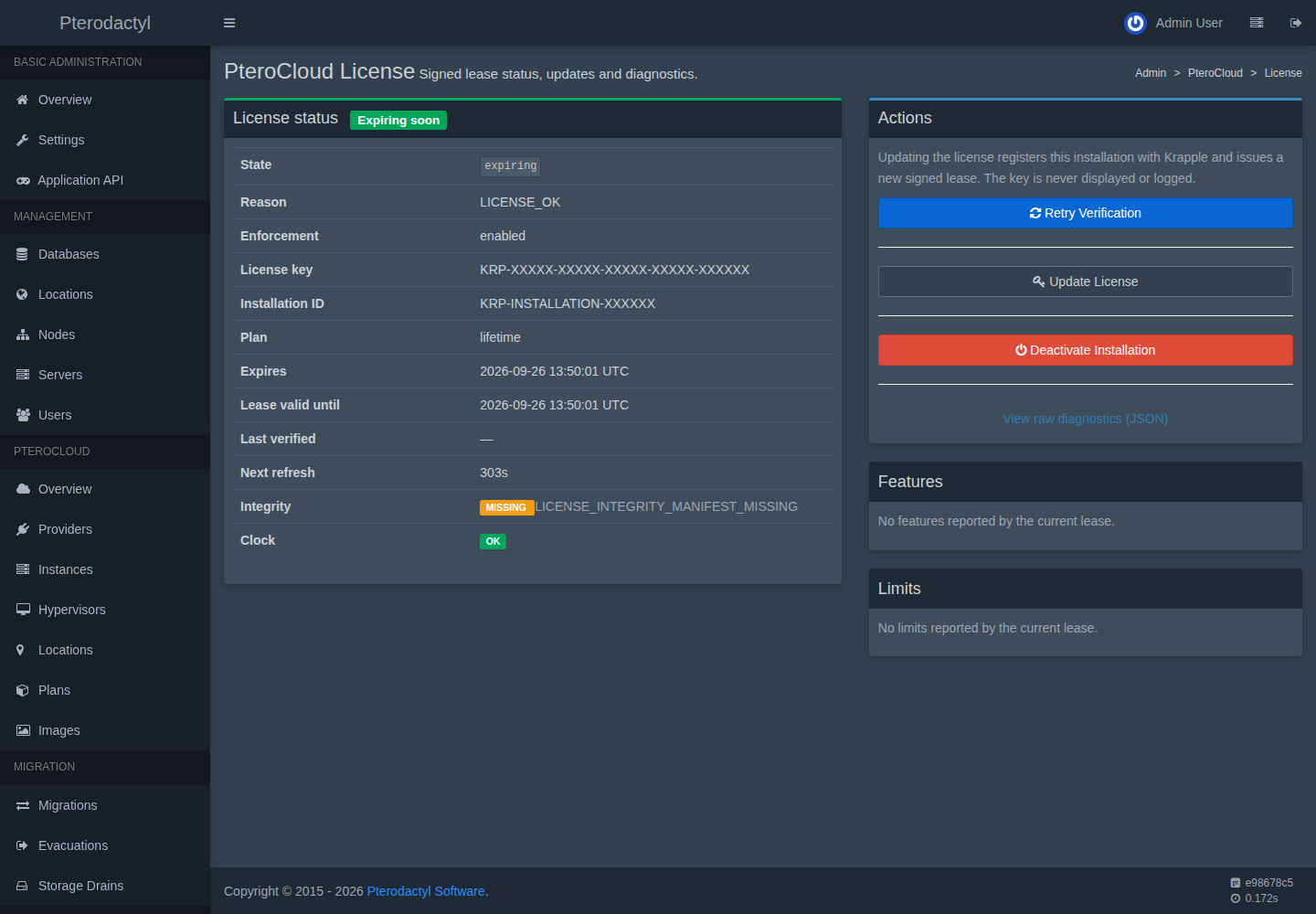
Admin → PteroCloud → License shows the current state, reason, enforcement, a masked key, the installation id, expiry windows, integrity and clock status, and offers Retry Verification, Update License and Deactivate Installation. This page stays reachable while the control layer is locked so an operator can recover.
Never screenshot or share the license key or installation id
The key and installation id are secrets. Redact them before sharing a screenshot or log. This documentation uses placeholders only.
Runtime gate is independent
Activation is not what protects the runtime. Even if the extension code or a
database is copied, the service provider boots the license gate and the control
layer stays LICENSE_LOCKED until a valid signed lease is present. See
Licensing runtime.
Troubleshooting
See Troubleshooting: licensing and the
PC-LIC-### codes in the error reference.