
Appearance
Using Player Manager
A walk through the Player Manager tab, screen by screen.
Where the tab is

The tab sits with the server's other tabs. It only appears on Minecraft servers.
The main page
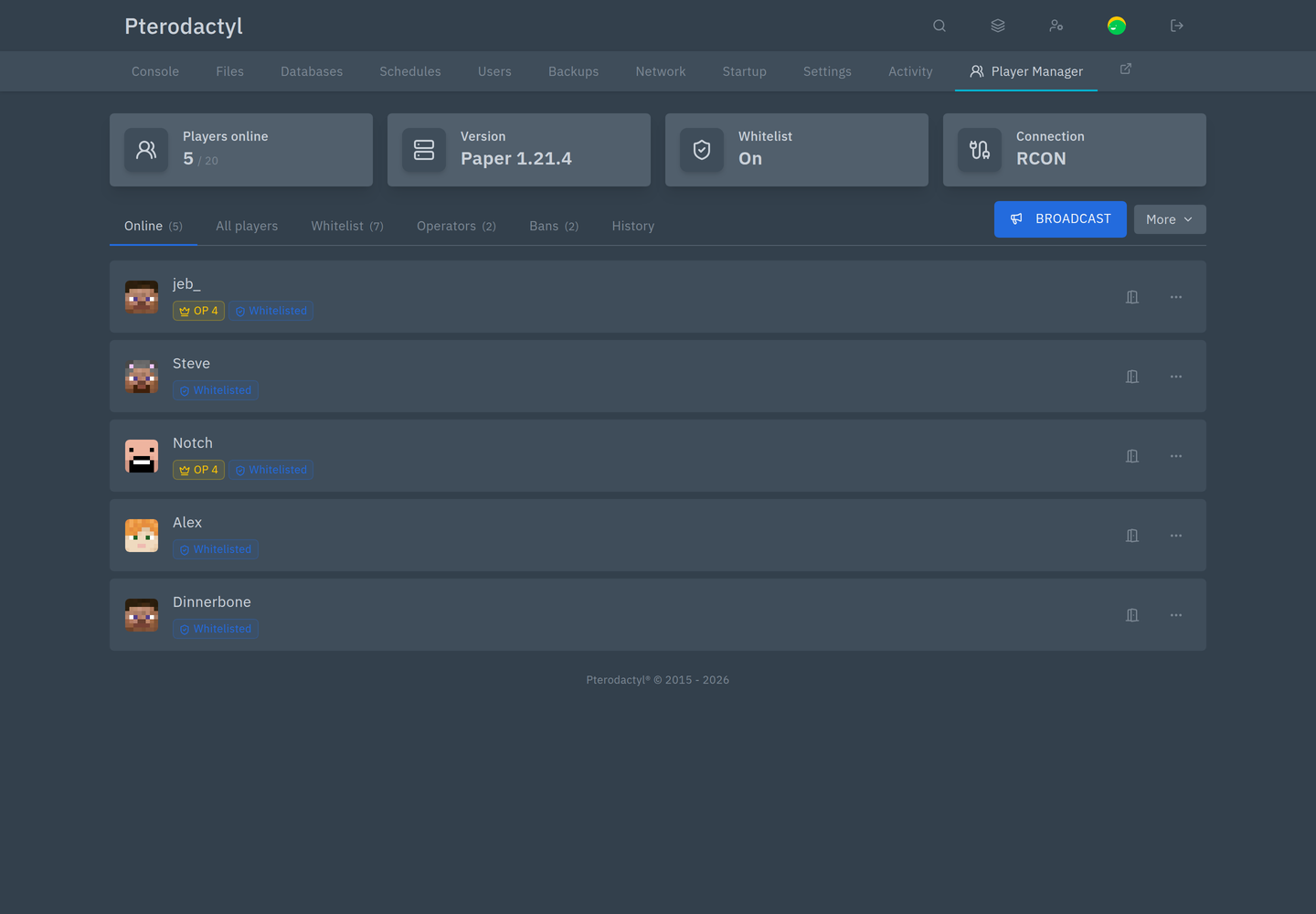
Four tiles at the top:
| Tile | Shows |
|---|---|
| Players online | The count against the slot limit |
| Version | What the server reports, for example Paper 1.21.4 |
| Whitelist | On or off |
| Connection | RCON (live), Console (fallback) or Offline |
Below that are the tabs Online, All players, Whitelist, Operators, Bans and History, with Broadcast and More on the right.
Online
Each row shows the player's head, their name, and badges such as OP 4 or Whitelisted. On the right are a kick button and a ⋯ menu with everything else.
All players
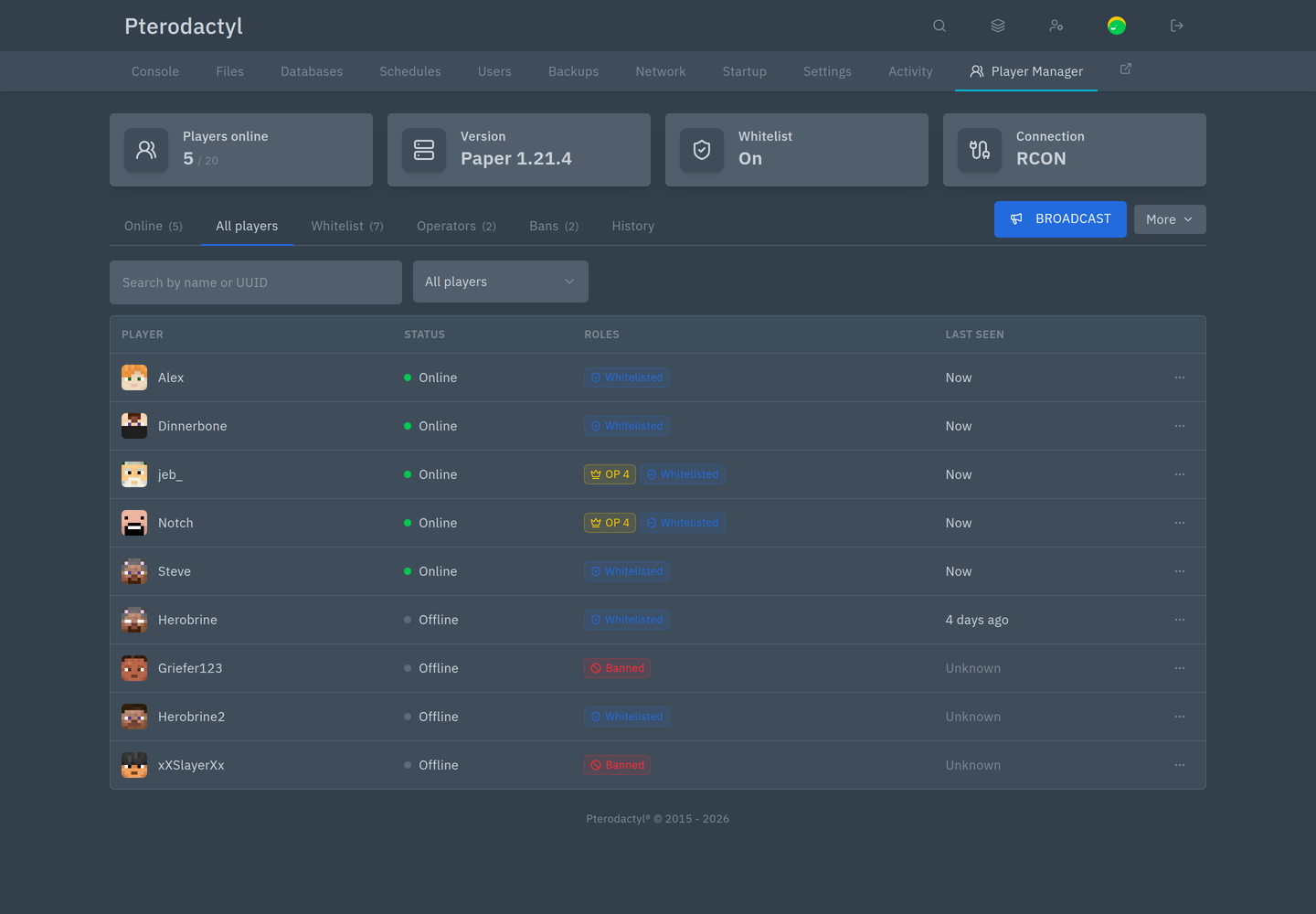
Everyone who has ever joined, with their roles and when they were last seen. Search by name or UUID.
Whitelist
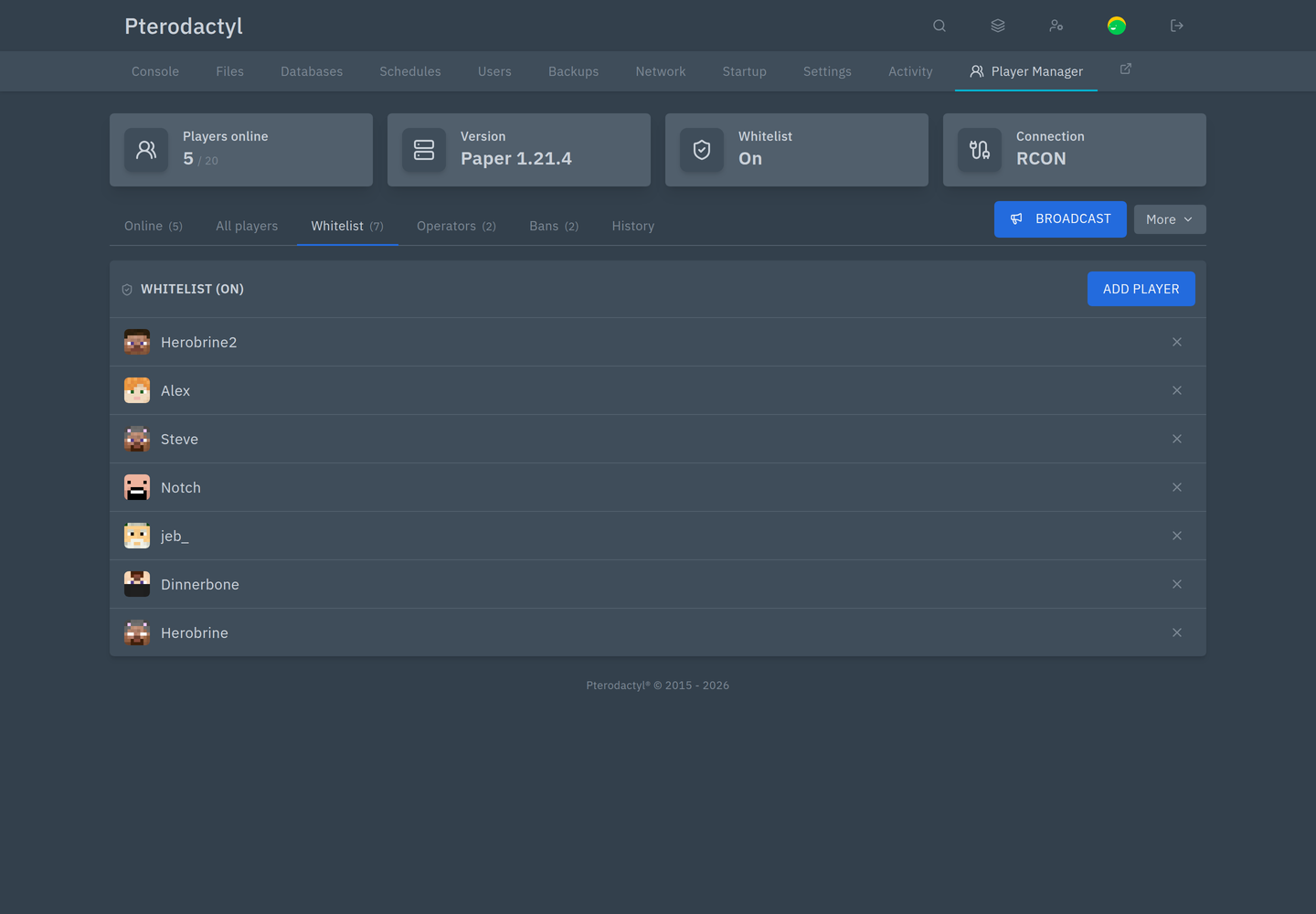
The server's whitelist, with Add player and remove. A banner appears at the top when the whitelist is switched off.
Operators
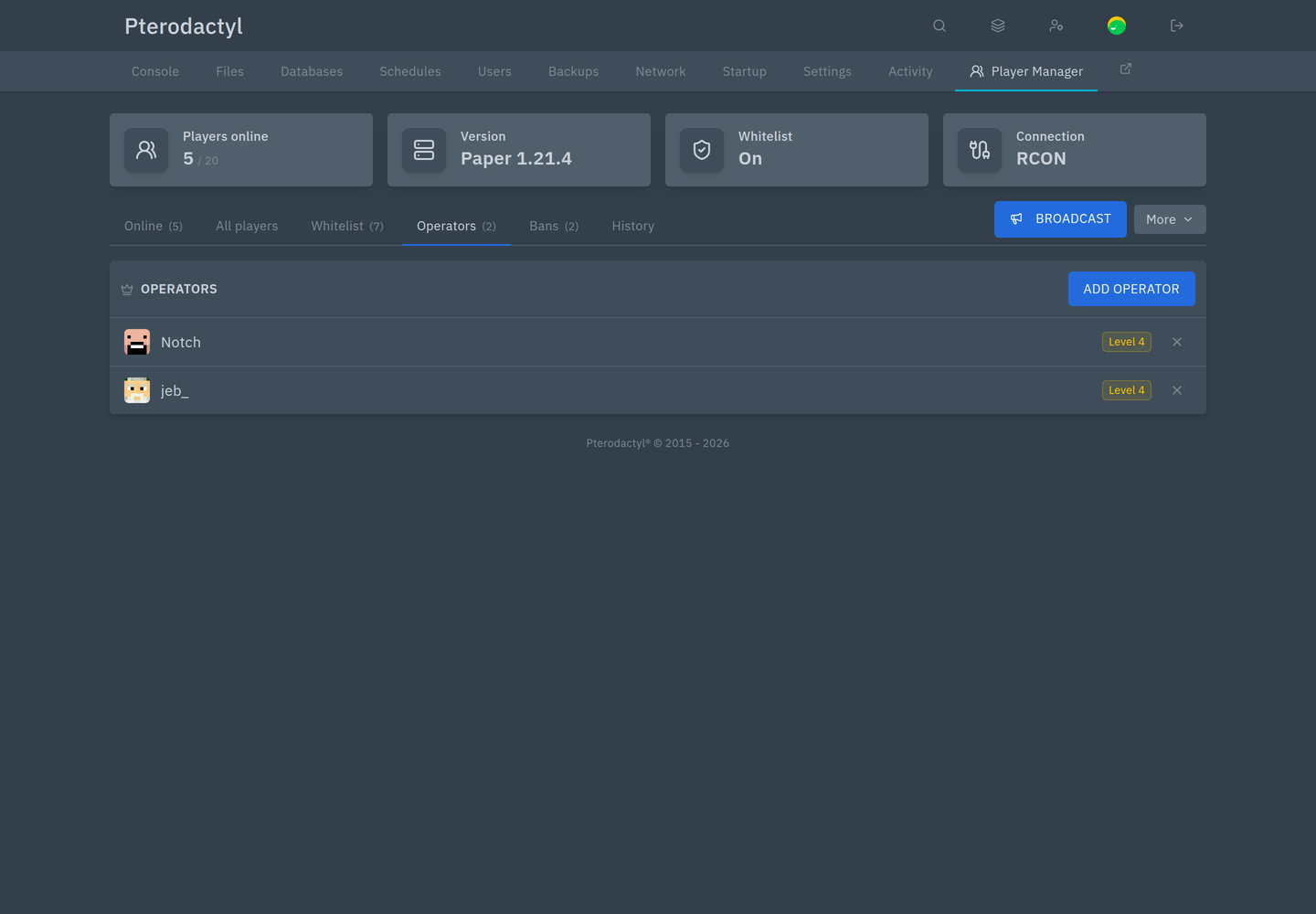
Who is op, and at which level. Add operator grants it; × removes it.
Bans
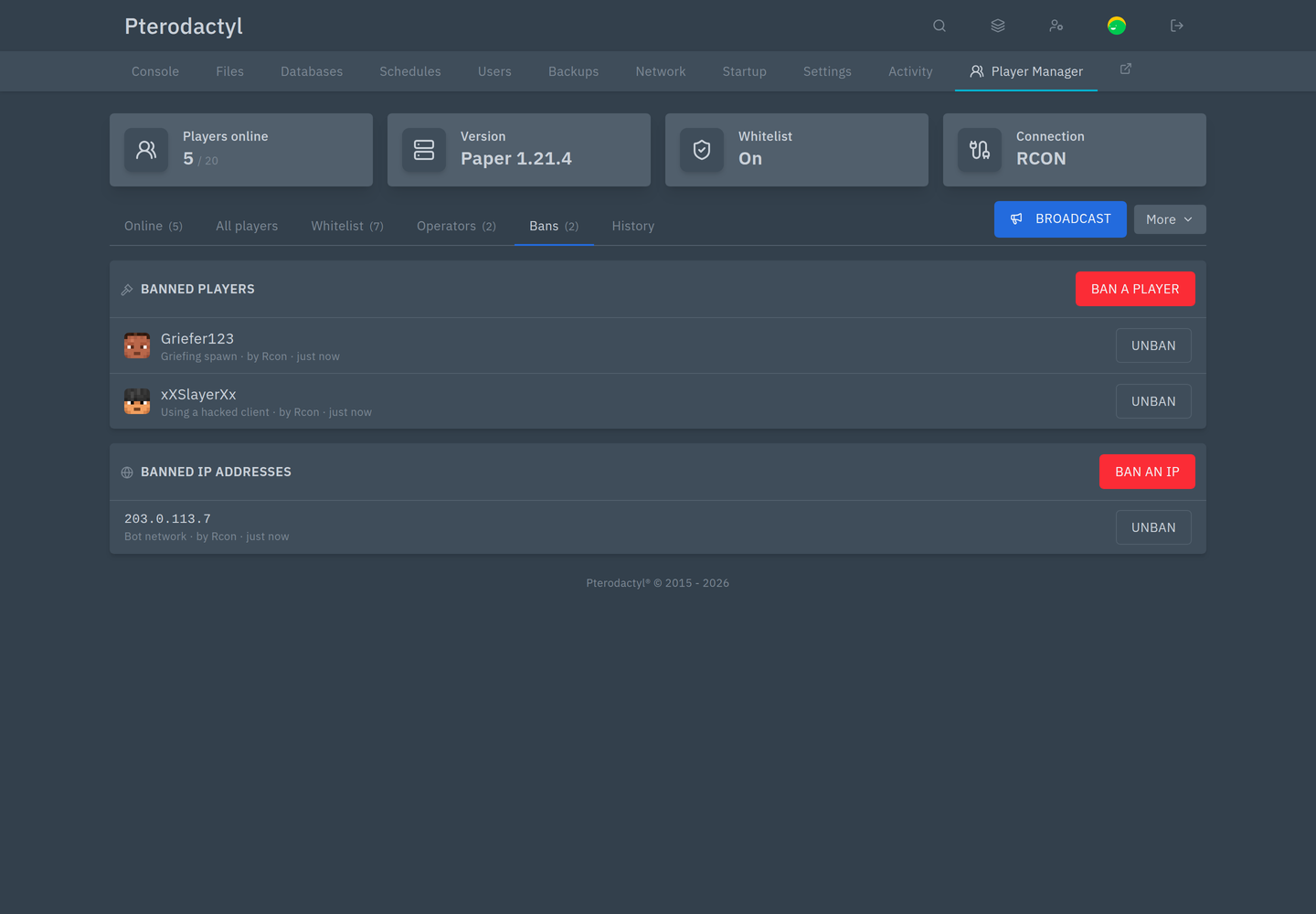
Banned players and banned IPs, each with the reason, who issued it and when. Unban lifts it; Ban a player and Ban an IP add entries.
History
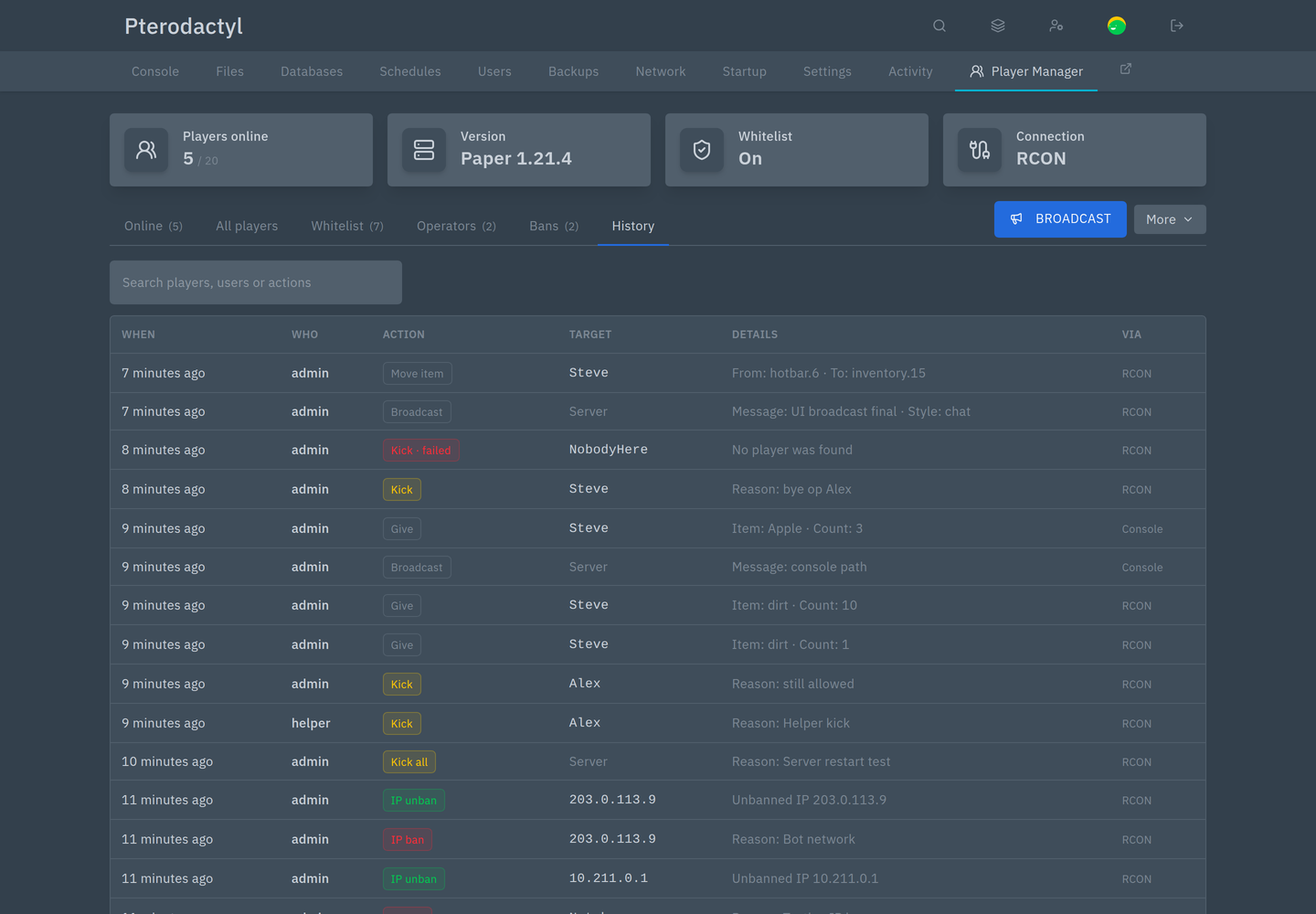
Every action: who did it, what, to whom, the details, and whether it was carried out over RCON, the console or the server files. Failed attempts appear with the server's answer. You can search across names, users and actions.
Broadcast
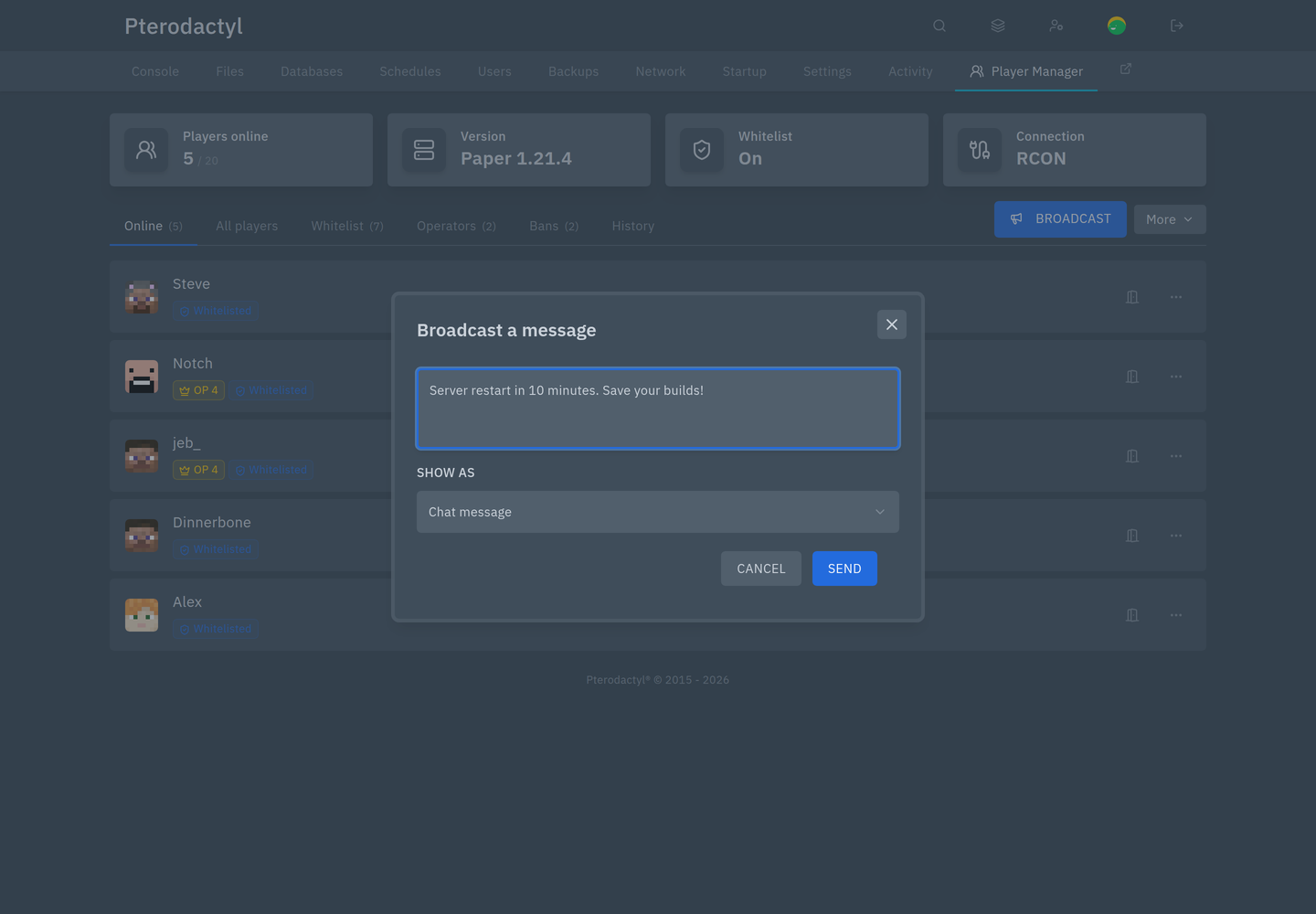
Send a message to everyone. Show as chooses a normal chat line, an on-screen title, or the action bar above the hotbar.
The More menu
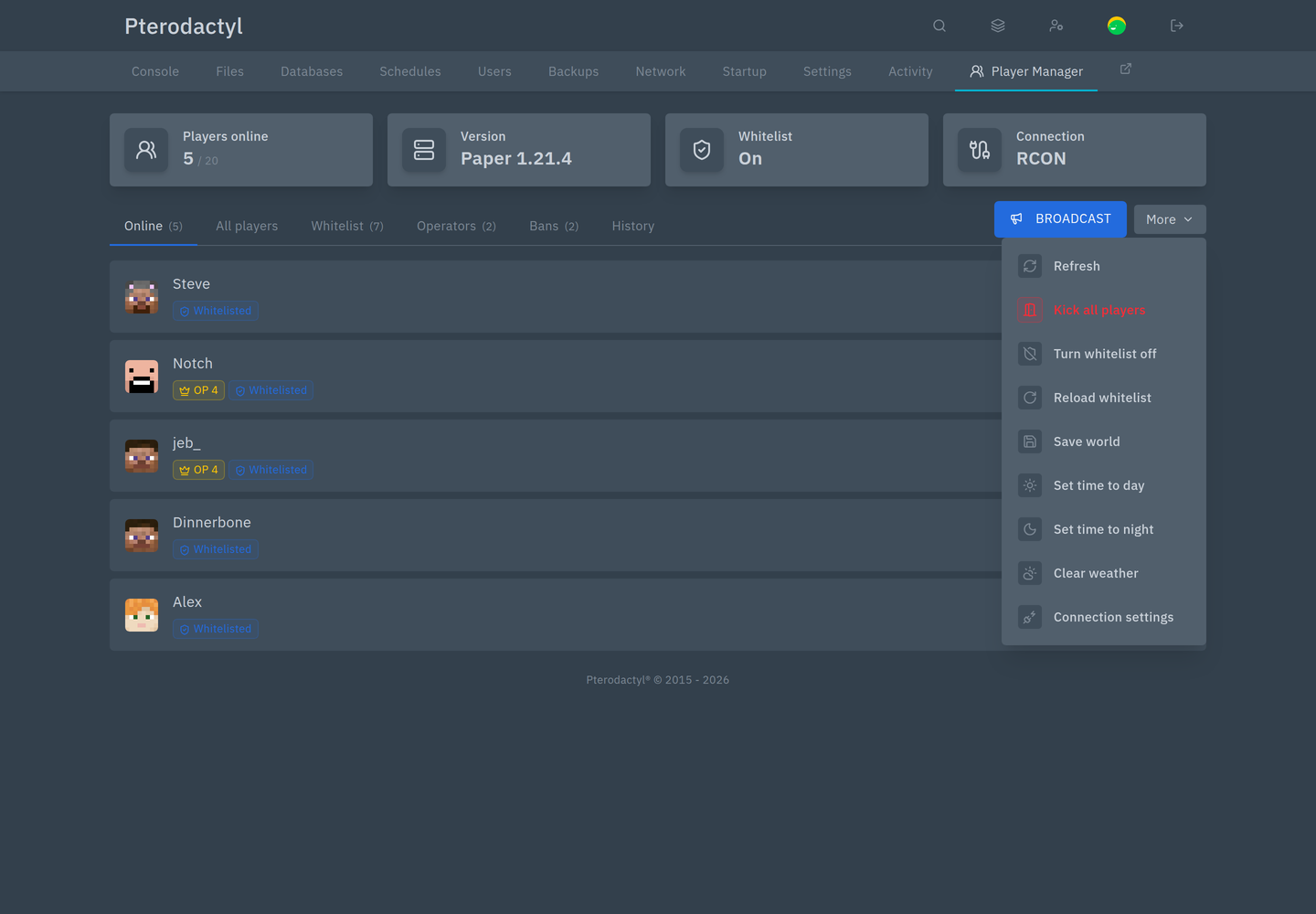
| Item | Effect |
|---|---|
| Refresh | Reload the page's data now |
| Kick all players | Disconnect everyone, with a reason |
| Turn whitelist on / off | Toggle the whitelist |
| Reload whitelist | Re-read the whitelist without a restart |
| Save world | Save everything now |
| Set time to day / night | Change the world time |
| Clear weather | Set clear weather |
| Connection settings | Per-server RCON settings and status |
Items you do not have permission for are hidden.
The player page
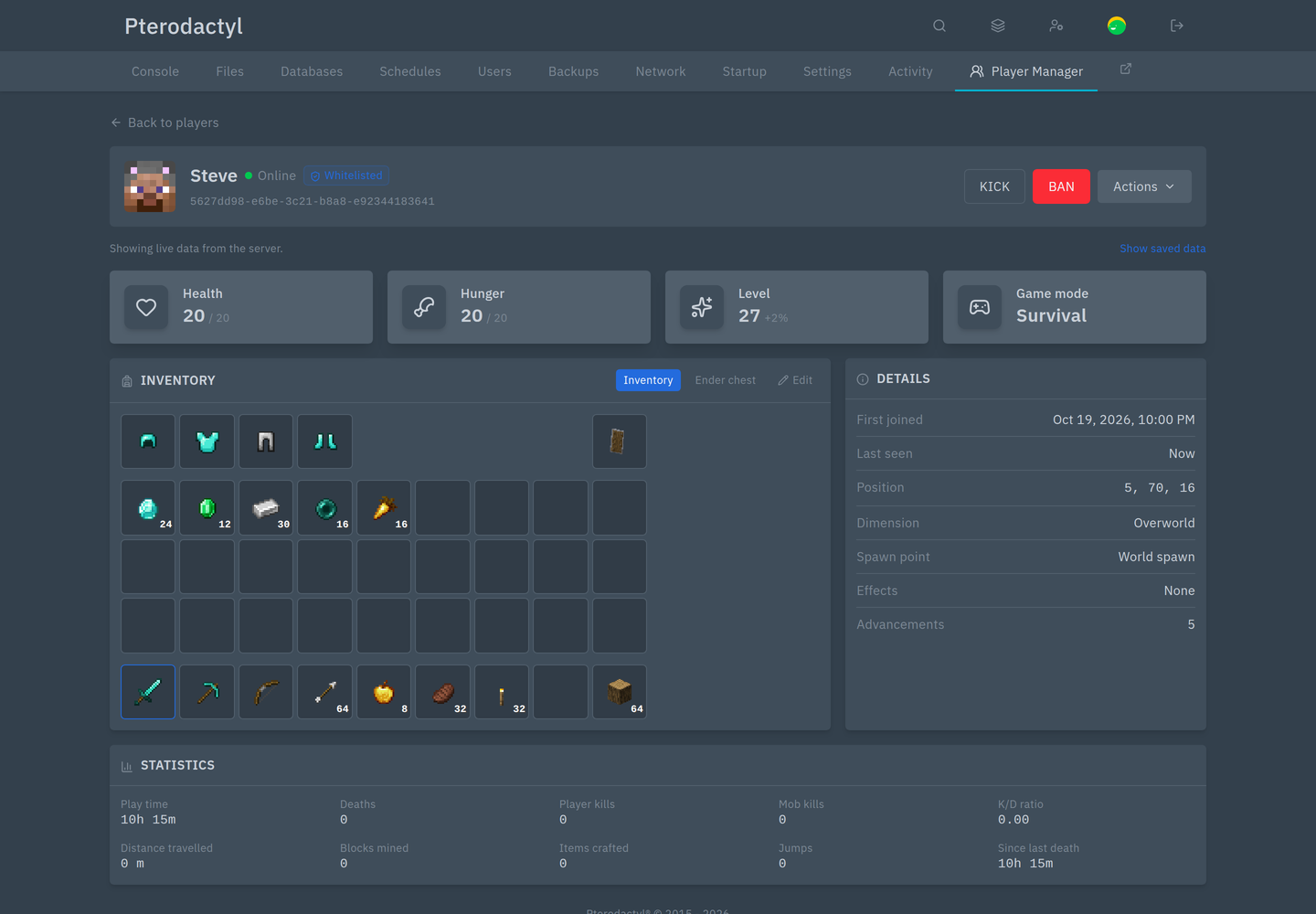
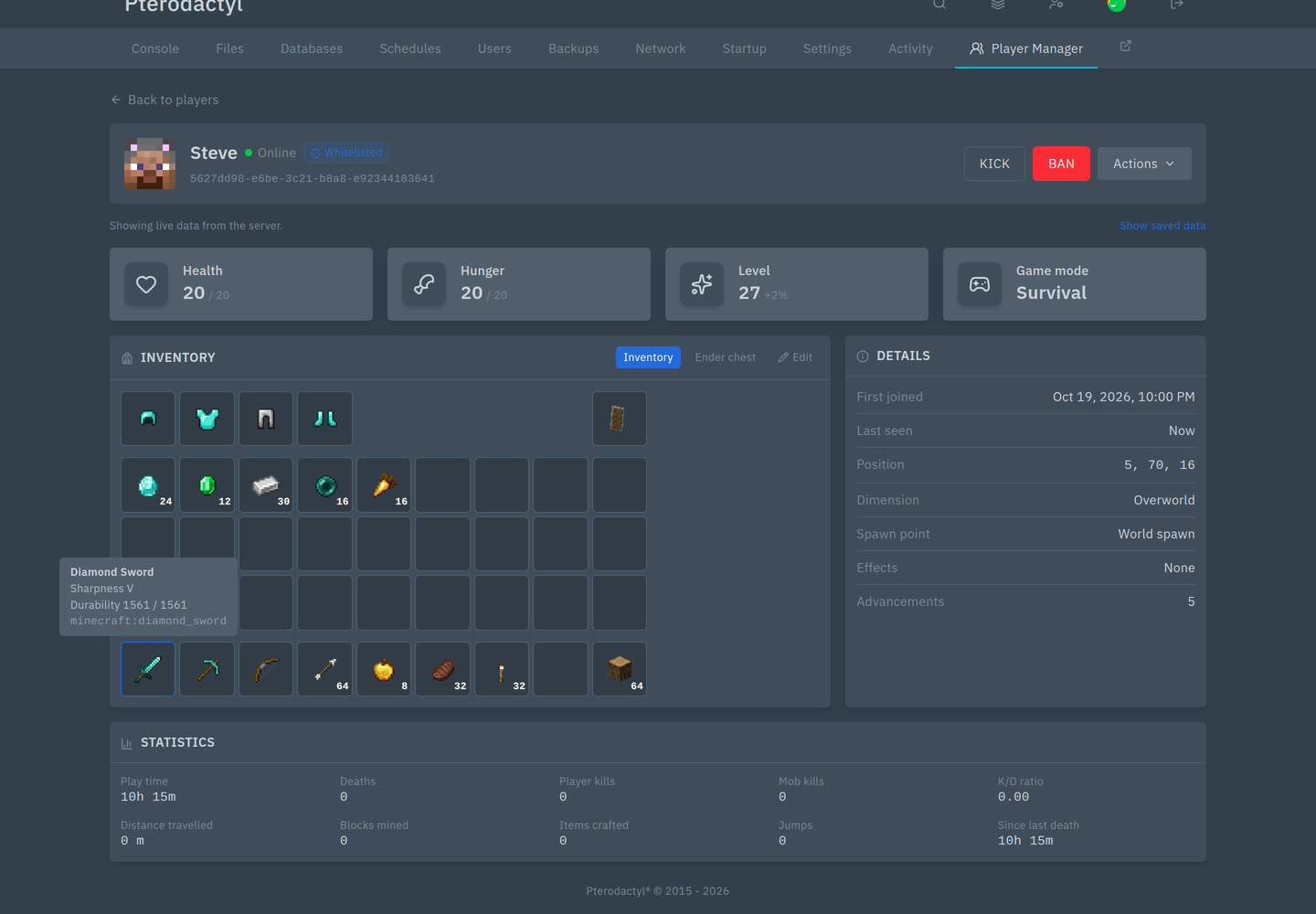
Click any player's name. The header shows their head, name, badges and UUID, with Kick, Ban and Actions.
The four tiles show health, hunger, level and game mode. When they come from the running server, the line above says so, and the page refreshes them on a timer.
Kick and ban
Both dialogs offer one-click reasons and accept free text.
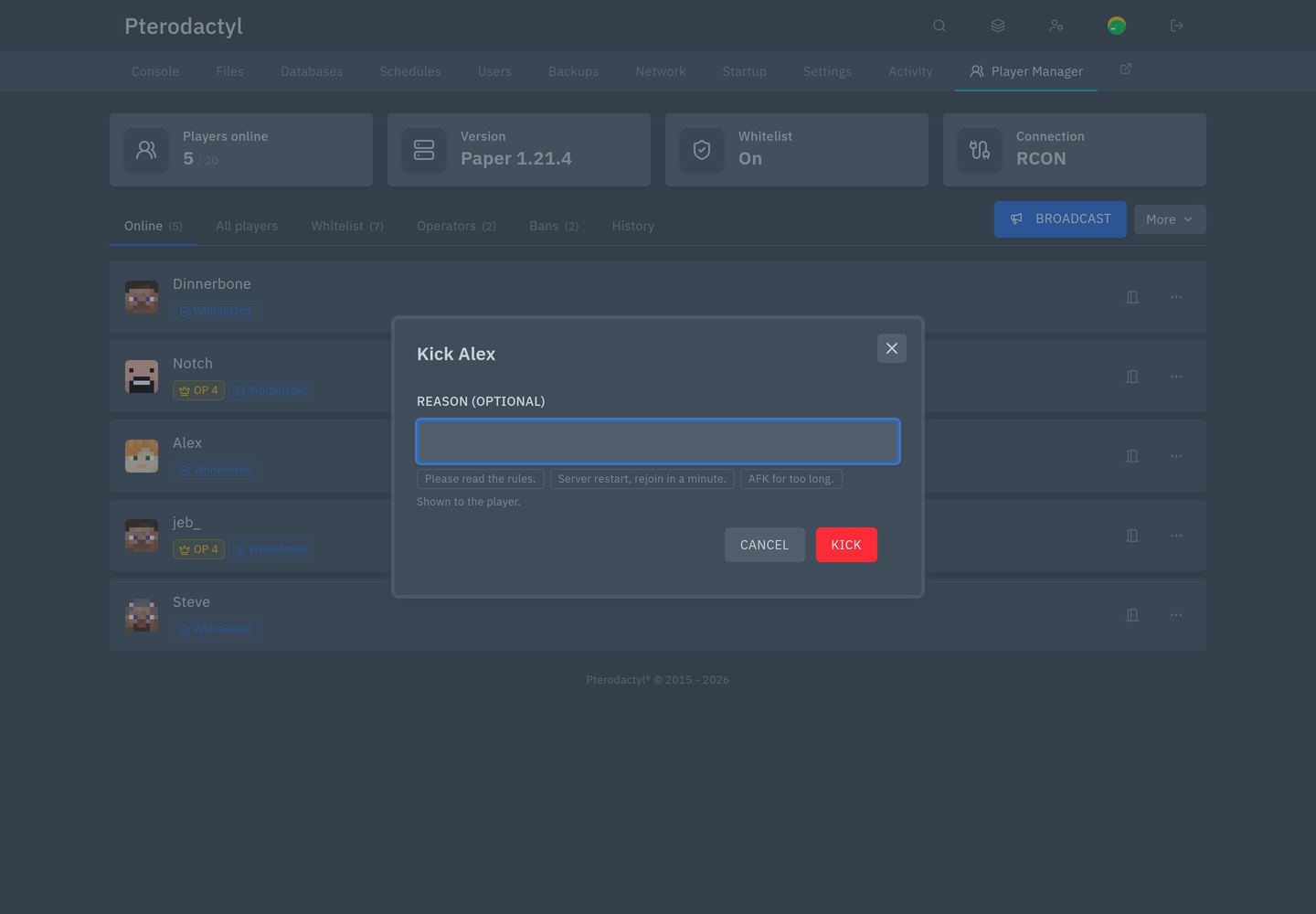
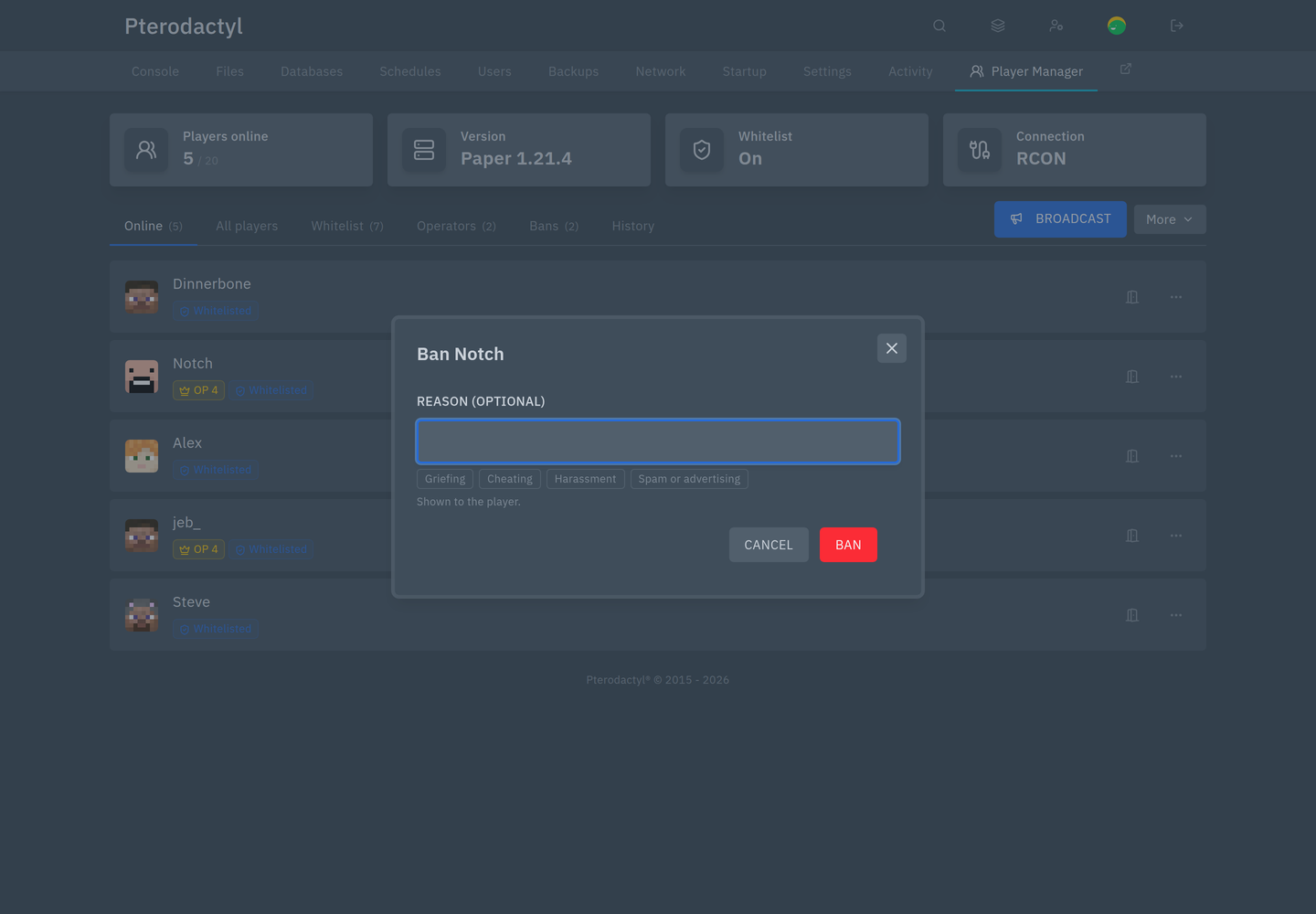
The preset reasons come from the admin settings, so your host can tailor them to the server.
Inventory and ender chest
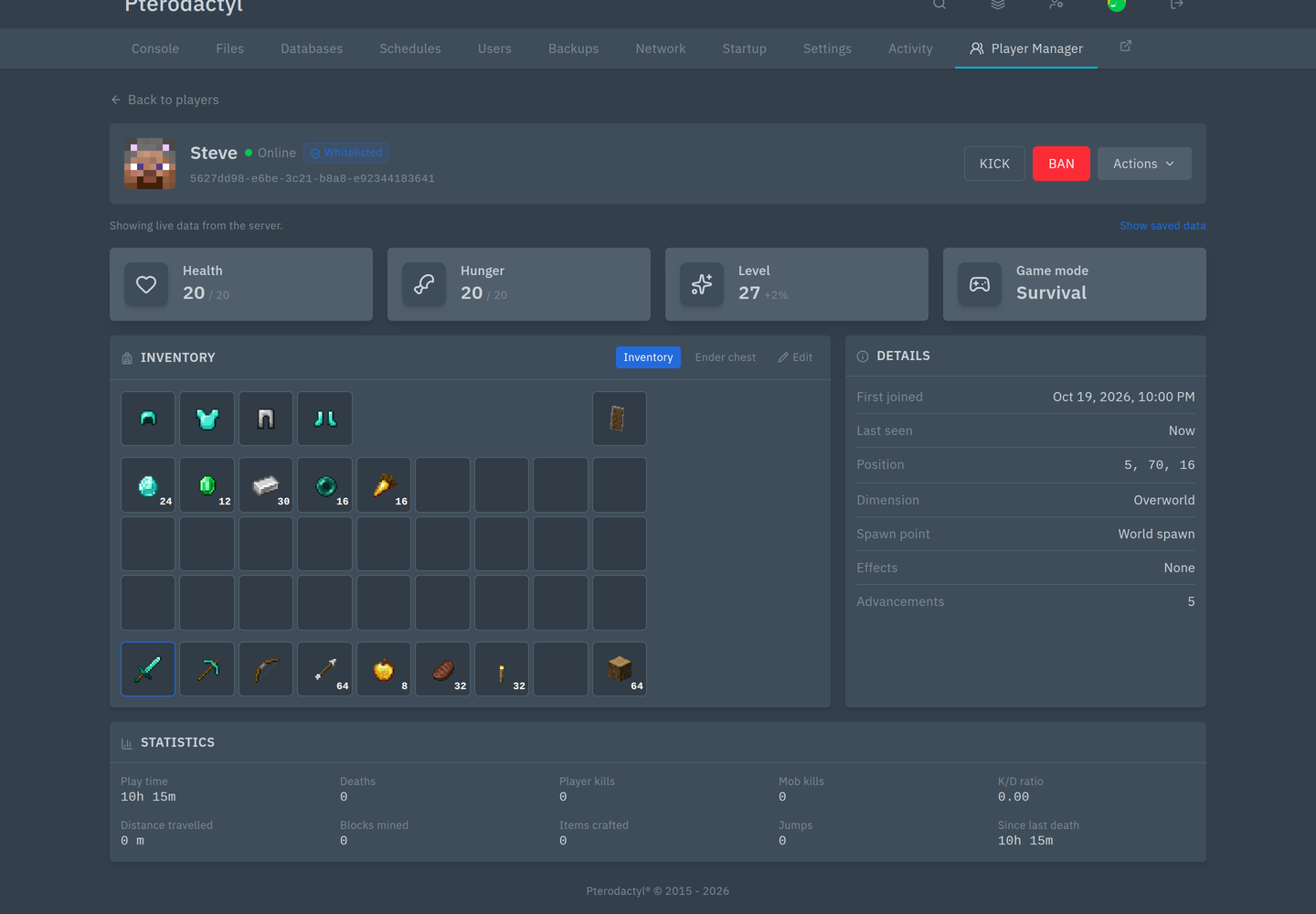
Armour and off hand on the first row, then the 27 main slots and the 9 hotbar slots. Each item shows its count, and enchantments are visible on the item. Hover an item for its details.
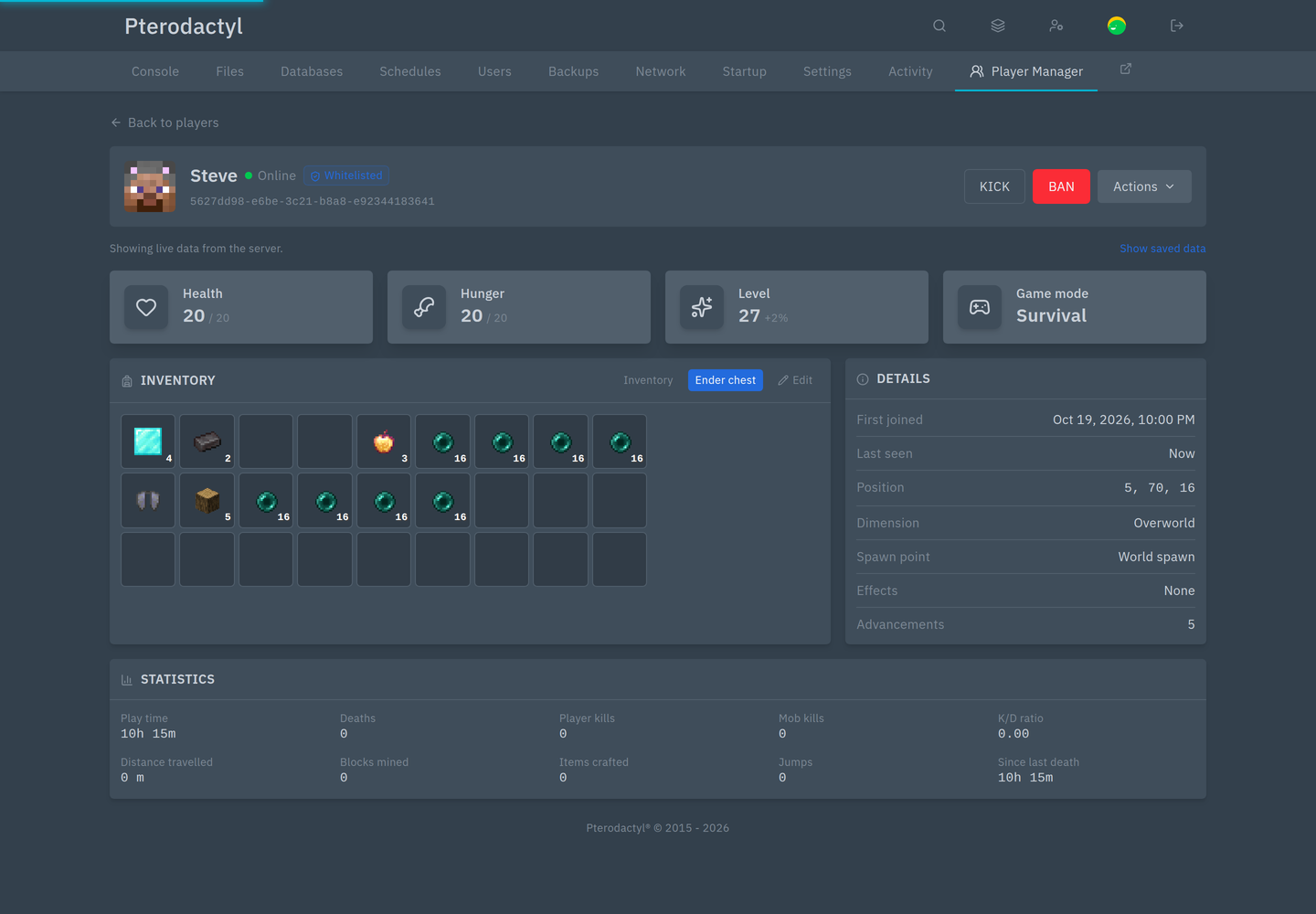
Ender chest switches the grid to the player's ender chest:
Editing an inventory
Press Edit, then drag items.
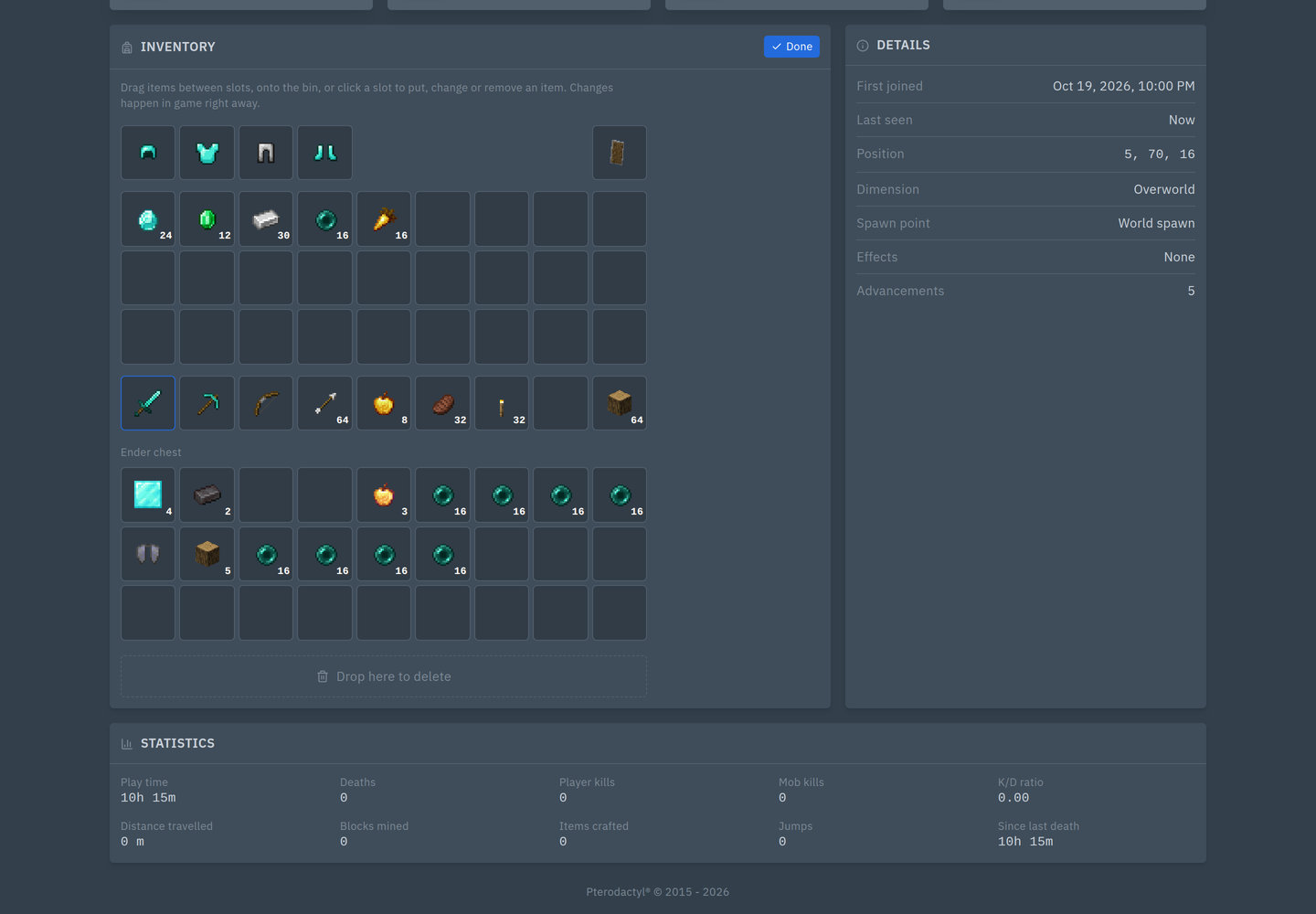
- Move an item: drag it to an empty slot
- Swap two items: drag one onto the other
- Change an amount: click a slot, type the number, save
- Put an item in: click an empty slot, type the item id and amount
- Delete: drag the item onto the bin
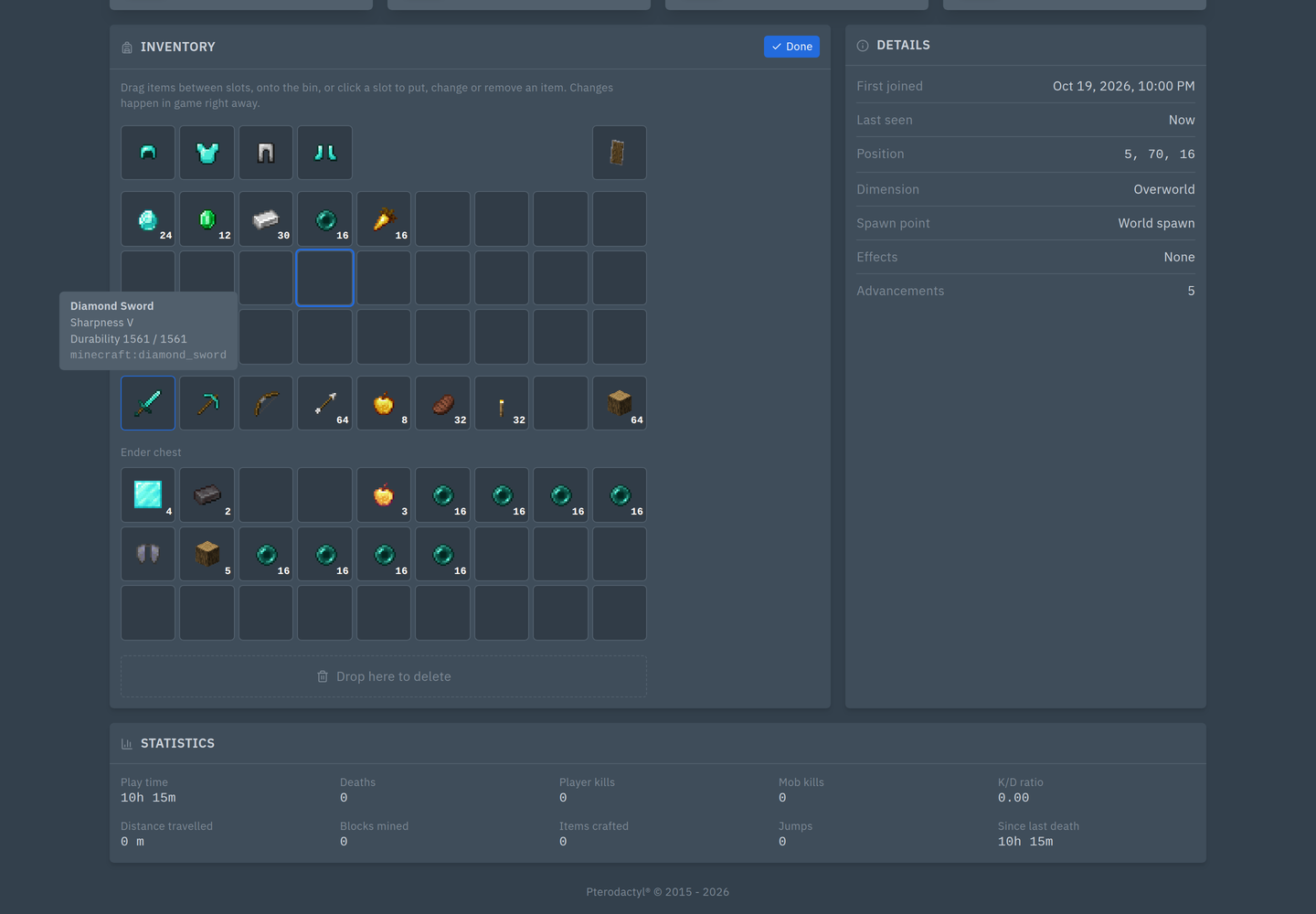
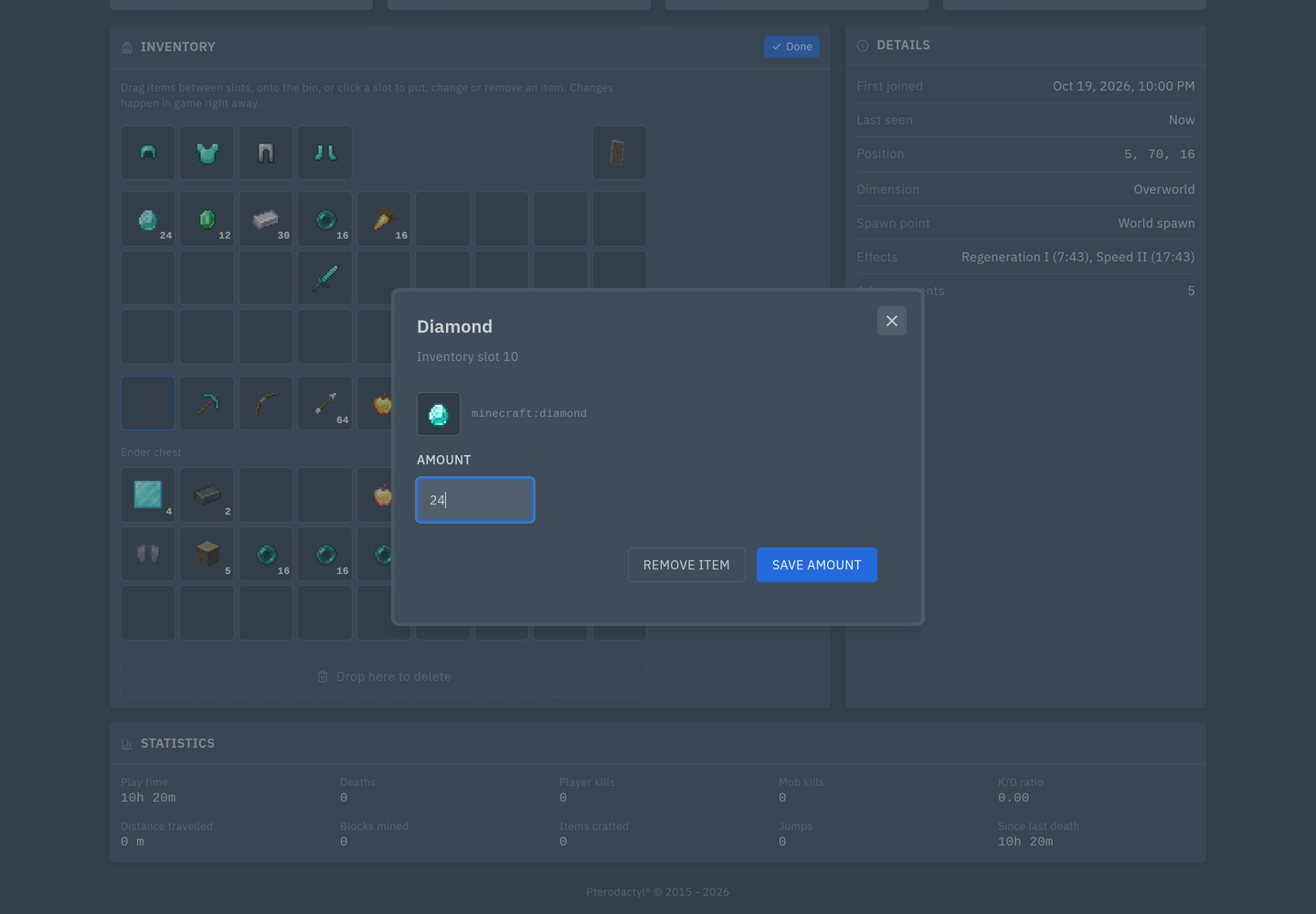
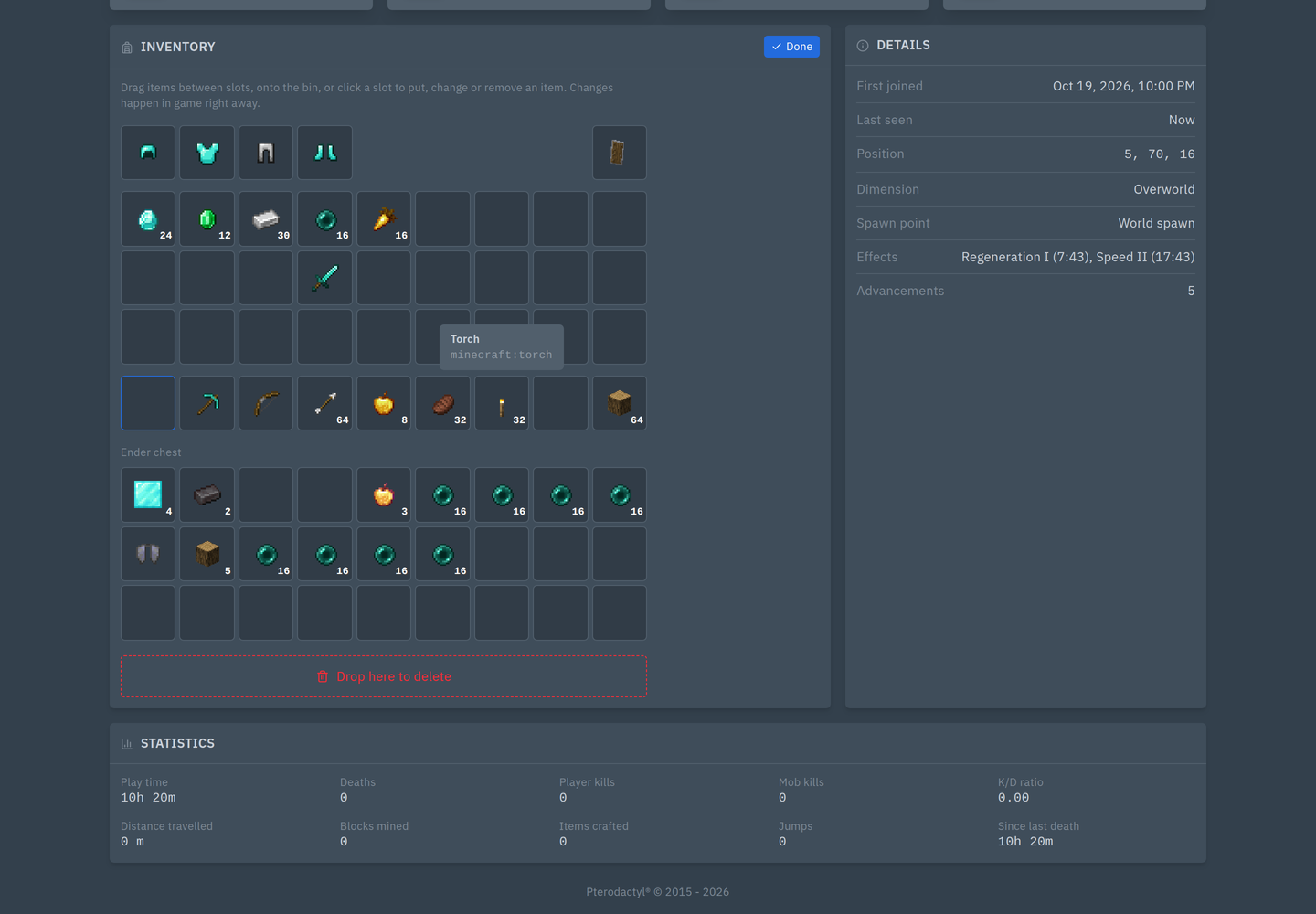
Every change applies in game immediately. Done leaves the editor.
WARNING
Dropping an item on the bin deletes it from the player. There is no undo.
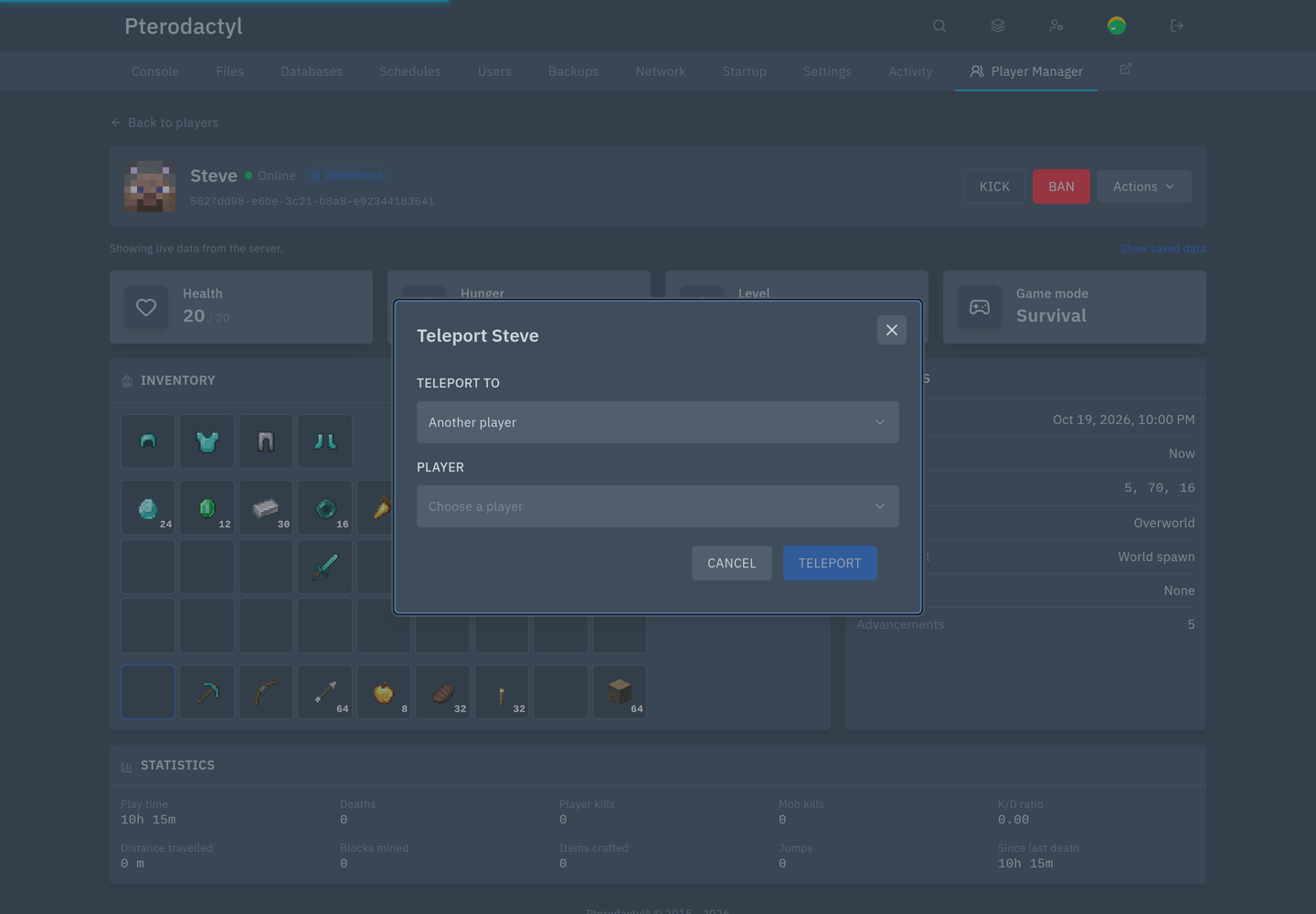
Actions
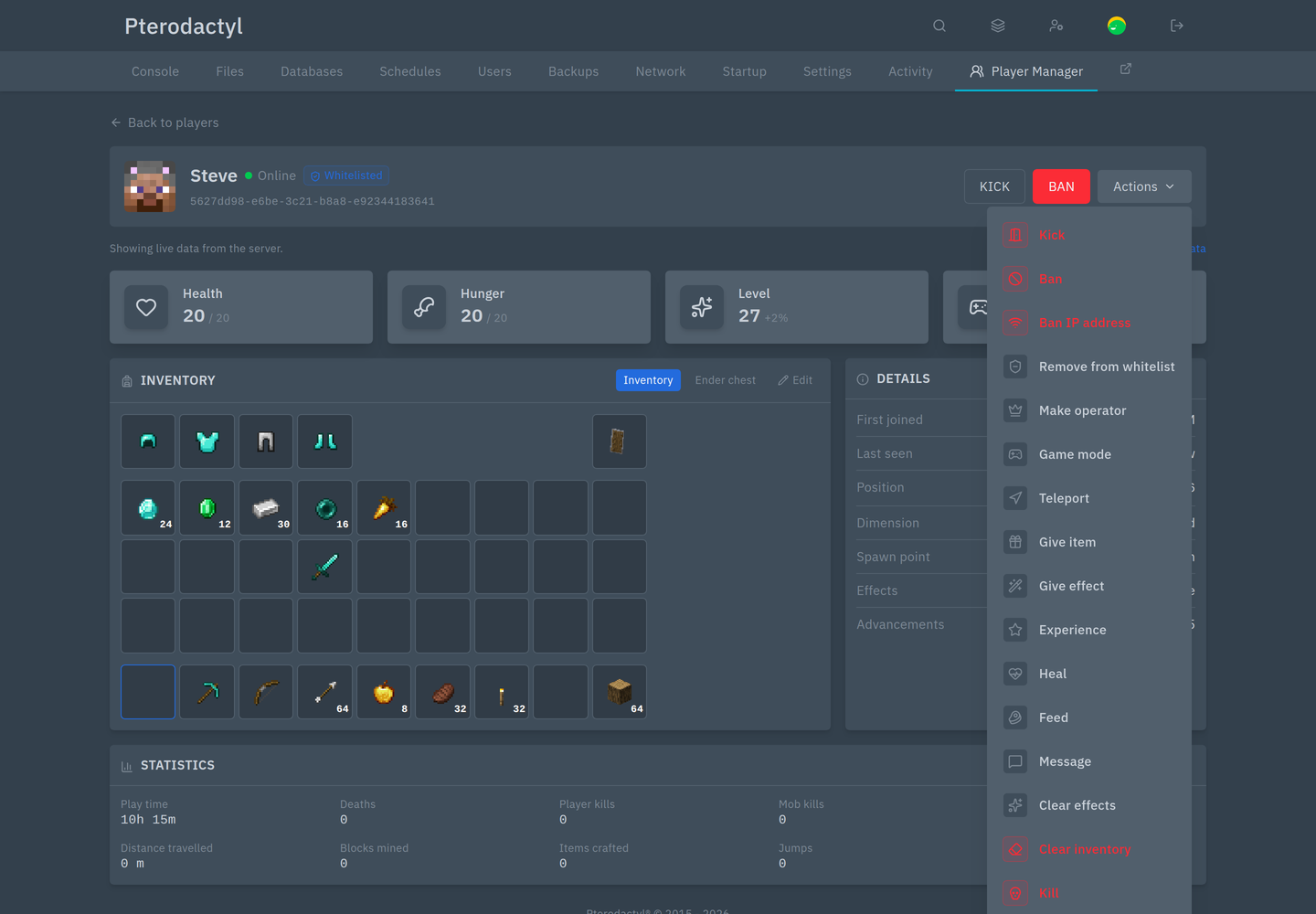
| Action | What it asks for |
|---|---|
| Game mode | Survival, creative, adventure or spectator |
| Teleport | To another player, or to coordinates (optionally in another dimension) |
| Give item | An item id and an amount |
| Give effect | Effect, duration (or infinite), amplifier, hide particles |
| Experience | Add or set, in levels or points |
| Heal, Feed | Nothing; applies instantly |
| Message | Text sent privately to the player |
| Clear effects, Clear inventory | Nothing; applies instantly |
| Kill | Nothing |
| Ban IP address | The player's IP, while they are online |
| Remove from whitelist, Make operator | Nothing |
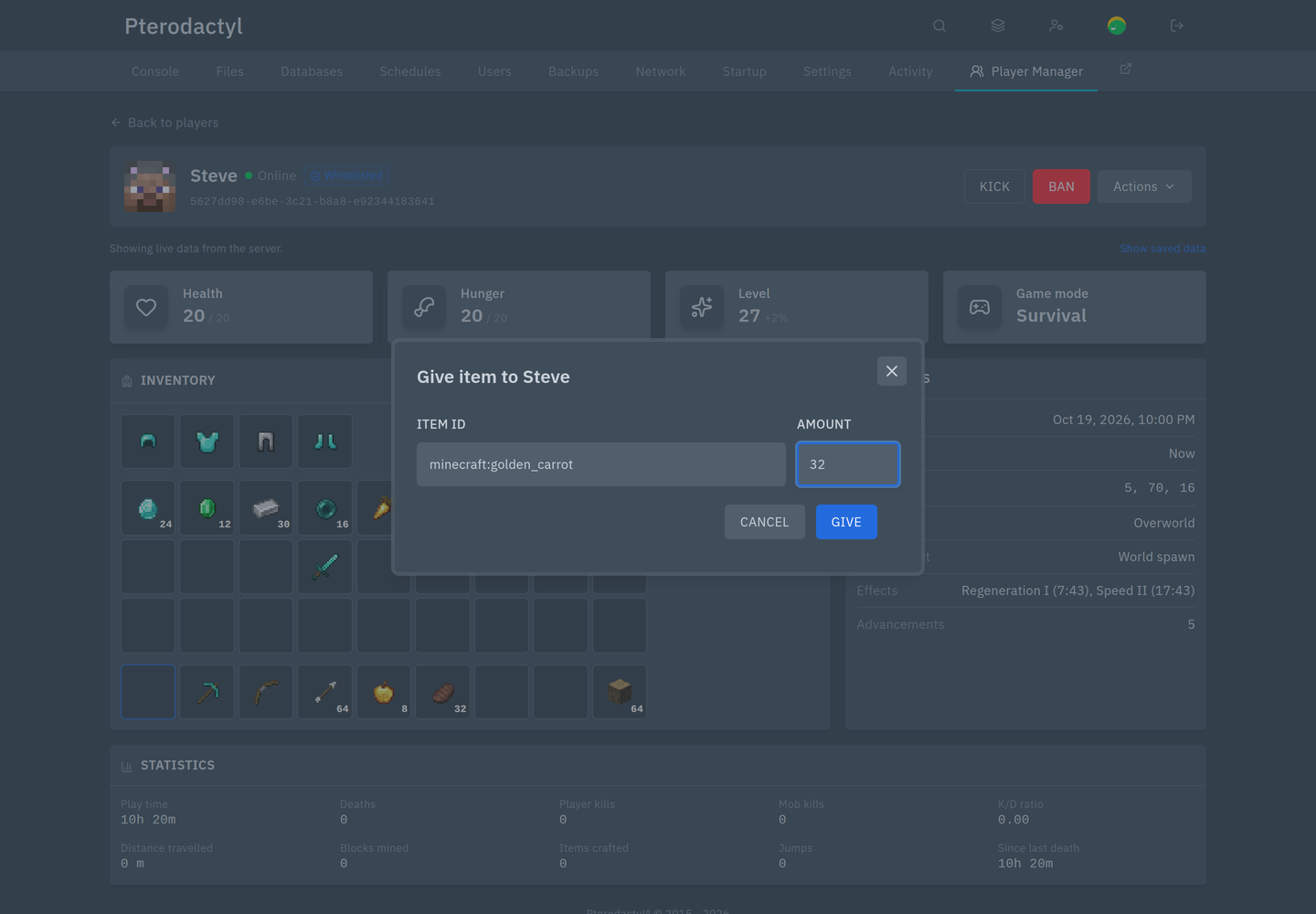
Details and statistics
The Details card shows first joined, last seen, position, dimension, spawn point, effects and advancements.
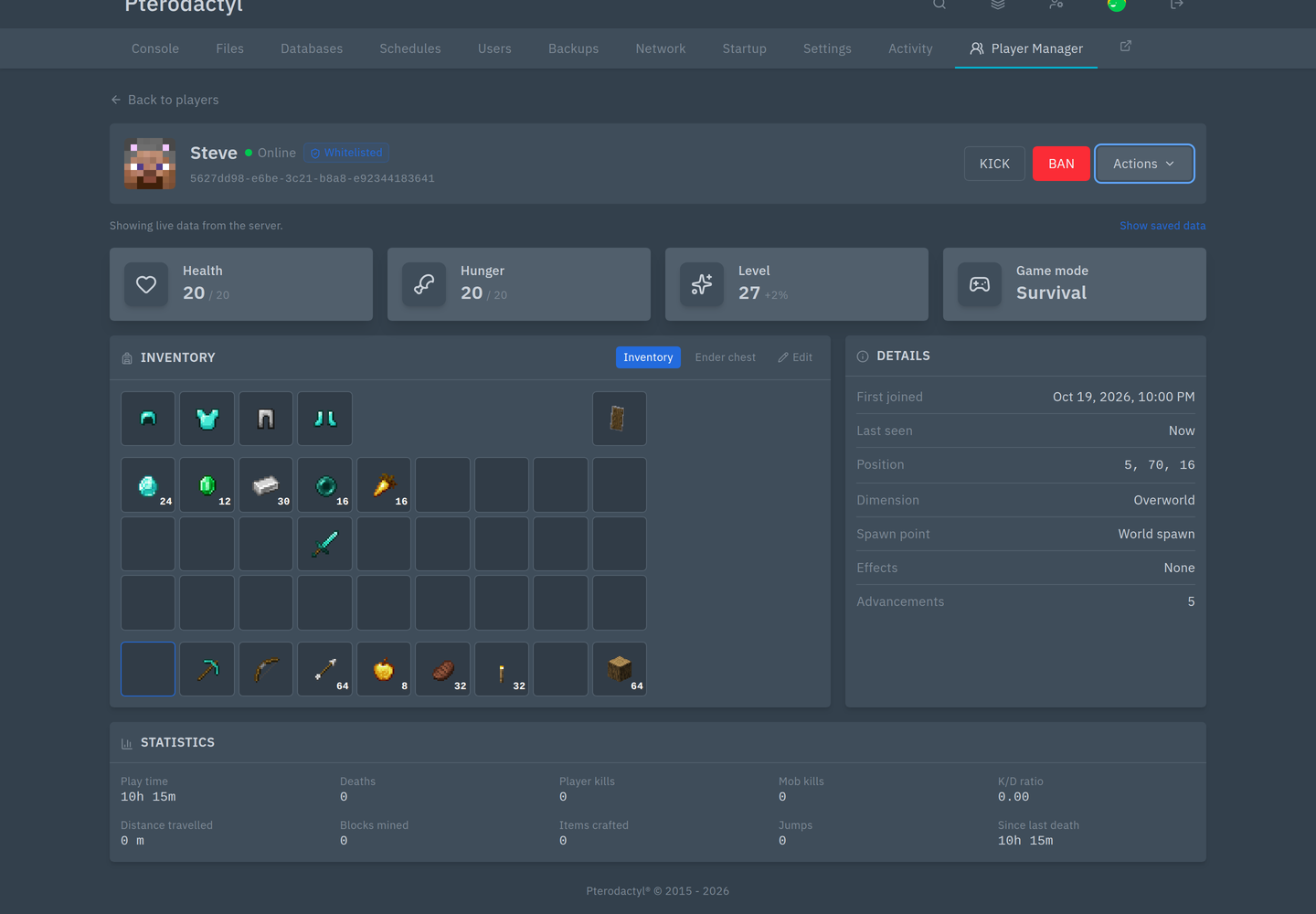
Statistics come from the server's own stats files: play time, deaths, player kills, mob kills, K/D, distance, blocks mined, items crafted, jumps, and time since the last death.
While the server is stopped
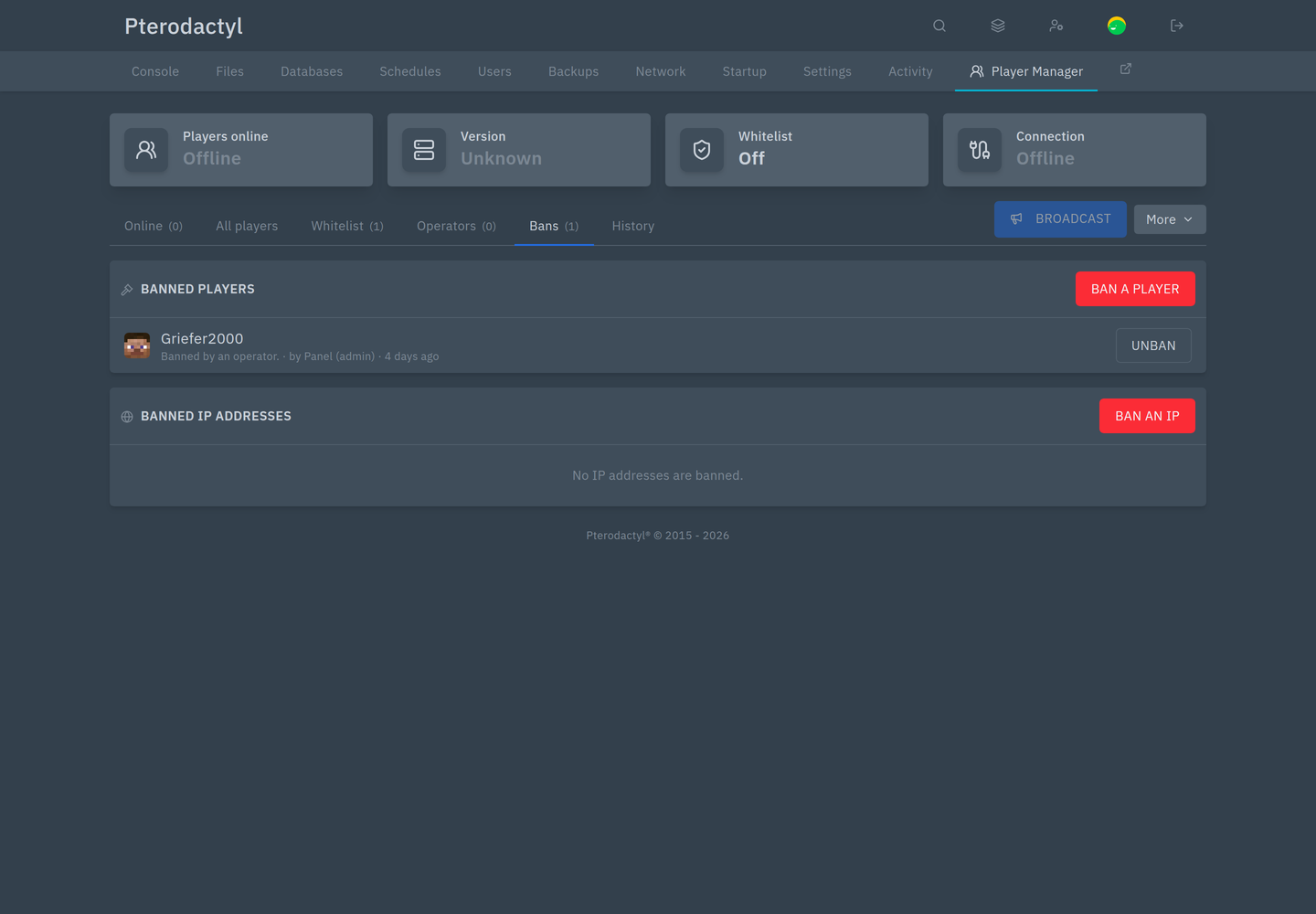
The page still works. The tiles show Offline, the online list says the server is offline, and History stays available.
Whitelist, operators and bans are edited in the server's files and apply at the next start:
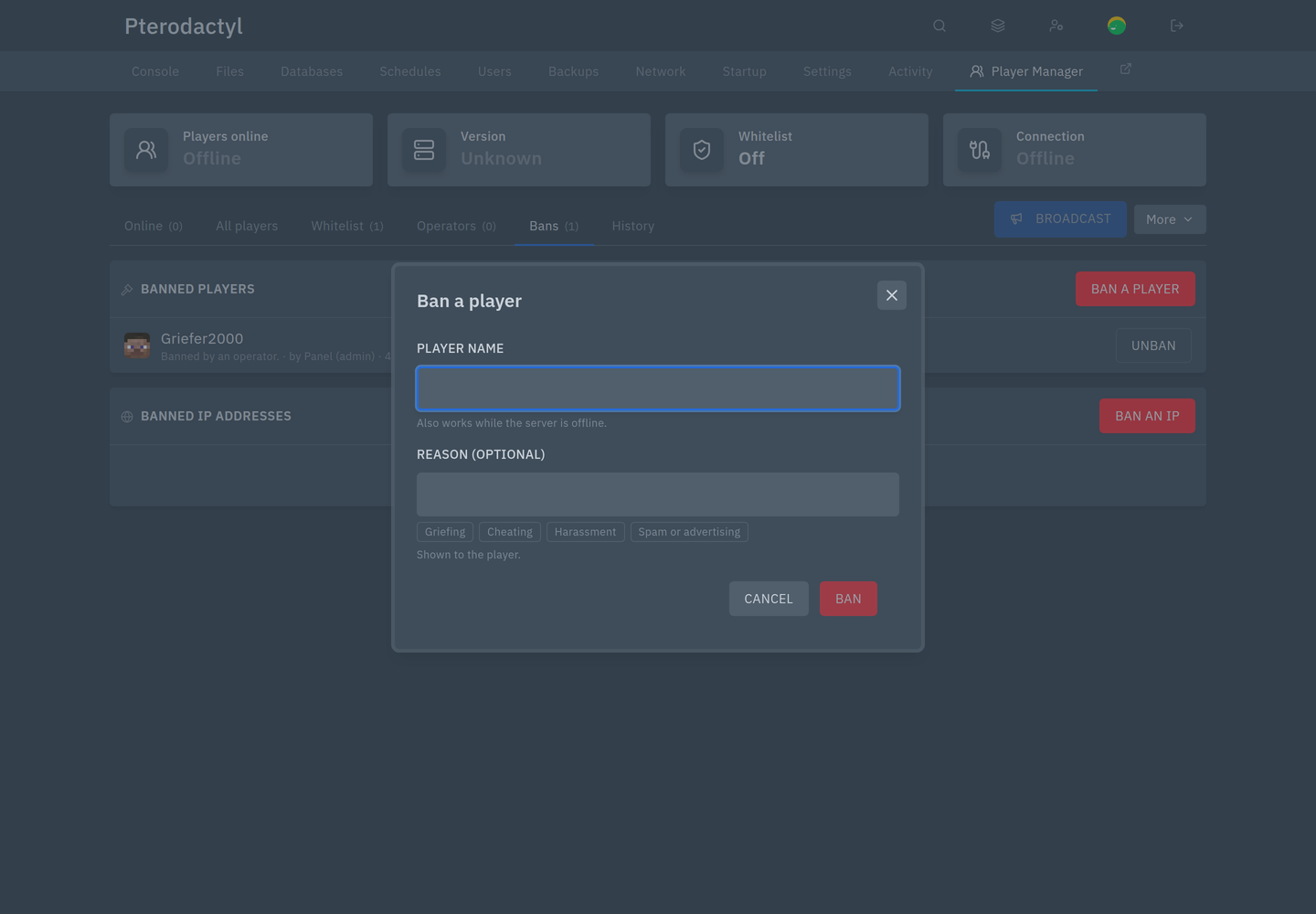
Everything else says "Start the server to do this."