
Appearance
File Manager Pro Editor
The optional companion for the panel's file editor. It replaces the editor canvas with a modern one that understands the configs game servers break most, and it saves through the panel exactly as before.
It needs File Manager Pro to be enabled.
What it adds
Tabs
The files you opened this session stay open as tabs, per server, for as long as the browser tab is open. Close one with the × or a middle-click.
Live checks
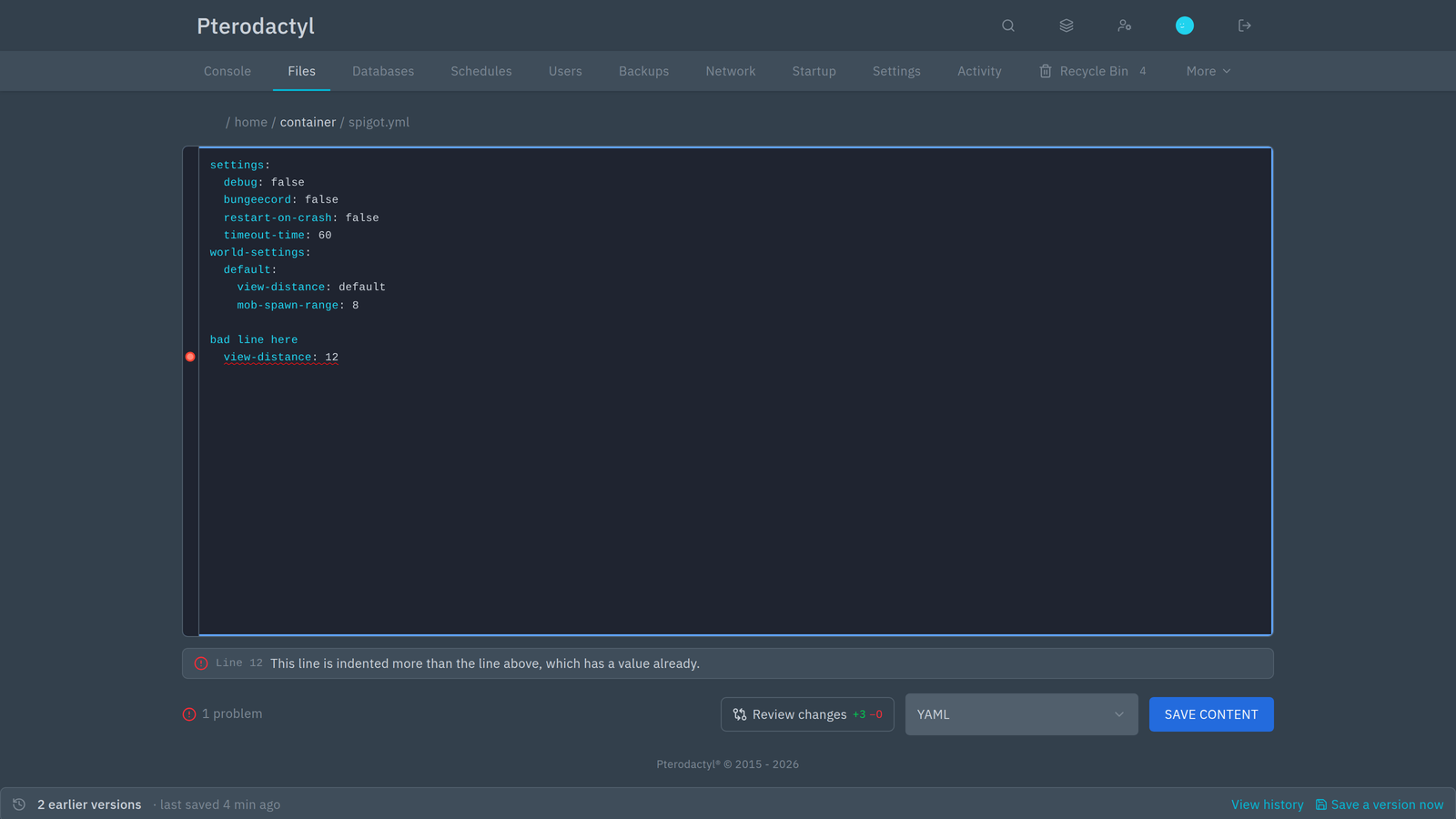
Problems are underlined as you type, marked in the gutter, and listed under the editor with a line number you can click to jump to:
- YAML — tabs used for indentation, a line indented under a key that already has a value, duplicate keys, unclosed quotes or brackets, and
key:valuewith no space - JSON — syntax errors, with the line
- TOML — unclosed strings, tables without a name, lines that are not
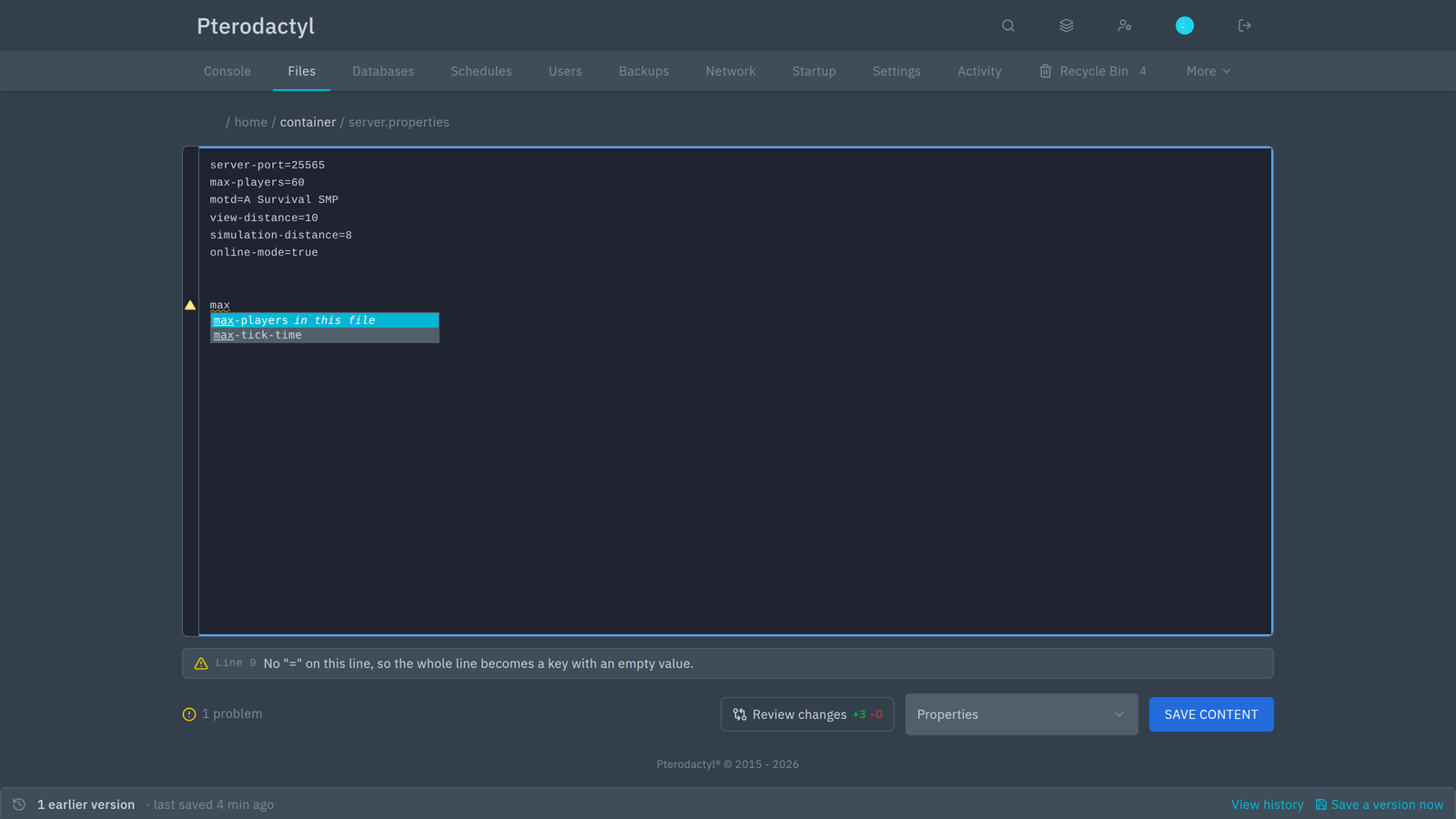
key = value, and duplicate keys .properties— lines without=, and keys set twice
Checks are advisory: they never stop you from saving. If a file has problems, saving asks for confirmation first.
Autocomplete
Completions for the keys and words common in server configs and scripts, with the keys already in the open file listed first.
Editing
- Syntax highlighting for 16 languages, coloured from the panel's theme, so light and dark themes both look right
- Search with Ctrl+F
- Bracket closing and undo/redo
- Review changes — a diff of your edits against the file as it was loaded or last saved
A safety net when you save
Before every save, a version of the file on disk is captured by File Manager Pro. That means a save you regret can be rolled back from History, whether or not you keep this editor installed.
Requirements
- File Manager Pro 1.x, enabled
- Pterodactyl Panel 2.0 (
v2.0.0-beta.2or later)
Install
Upload file-manager-pro-editor-1.1.0.pteroext in Admin → Extensions, or from the panel directory:
sh
php artisan p:extension:install file-manager-pro-editor-1.1.0.pteroext --enableRemove the manager first if you uninstall both, because the editor depends on it.
Notes
- The editor replaces the canvas and the Save button of the panel's file editor. Other extensions that decorate the editor canvas or its action bar are not shown while this one is enabled.
- It edits through the panel's own buffer, so drafts, the unsaved-changes warning and the core save flow all keep working.
- Language grammars load only when a file needs them, so opening a
.txtdoes not download the YAML grammar. - You can disable it at any time if you prefer another editor extension. Saves are still versioned by File Manager Pro with or without it.
Troubleshooting
| Symptom | Likely cause | What to do |
|---|---|---|
| No tabs, no problem list | The editor extension is disabled, or another editor extension is layered above it | Enable it, and keep only one editor extension |
| No underline on a code file | Only YAML, JSON, TOML and .properties are checked | Expected for other languages |
| Empty autocomplete | A plain-text file, or a failed chunk load | Hard refresh; if it persists, tell your host |
| Ctrl+S saves twice, or the page also saves | Two editor extensions over the same file | Disable the other editor extension |
| Save button disabled | The file is read-only for your account | Ask your host for the edit permission |
For anything else, see Troubleshooting.