
Appearance
Operations
Day-two tasks: keeping it running, upgrading, backing up the backup system, and recovering when the panel itself is lost.
What runs what
| Component | Command | Schedule |
|---|---|---|
| Transfer worker | php artisan offsite-backups:work | always running |
| Scheduler | php artisan schedule:run (cron, every minute) | retention, retries, scheduled backups, summaries |
| Web | the panel itself | — |
The transfer worker uses its own queue, separate from the panel's.
Health checks
sh
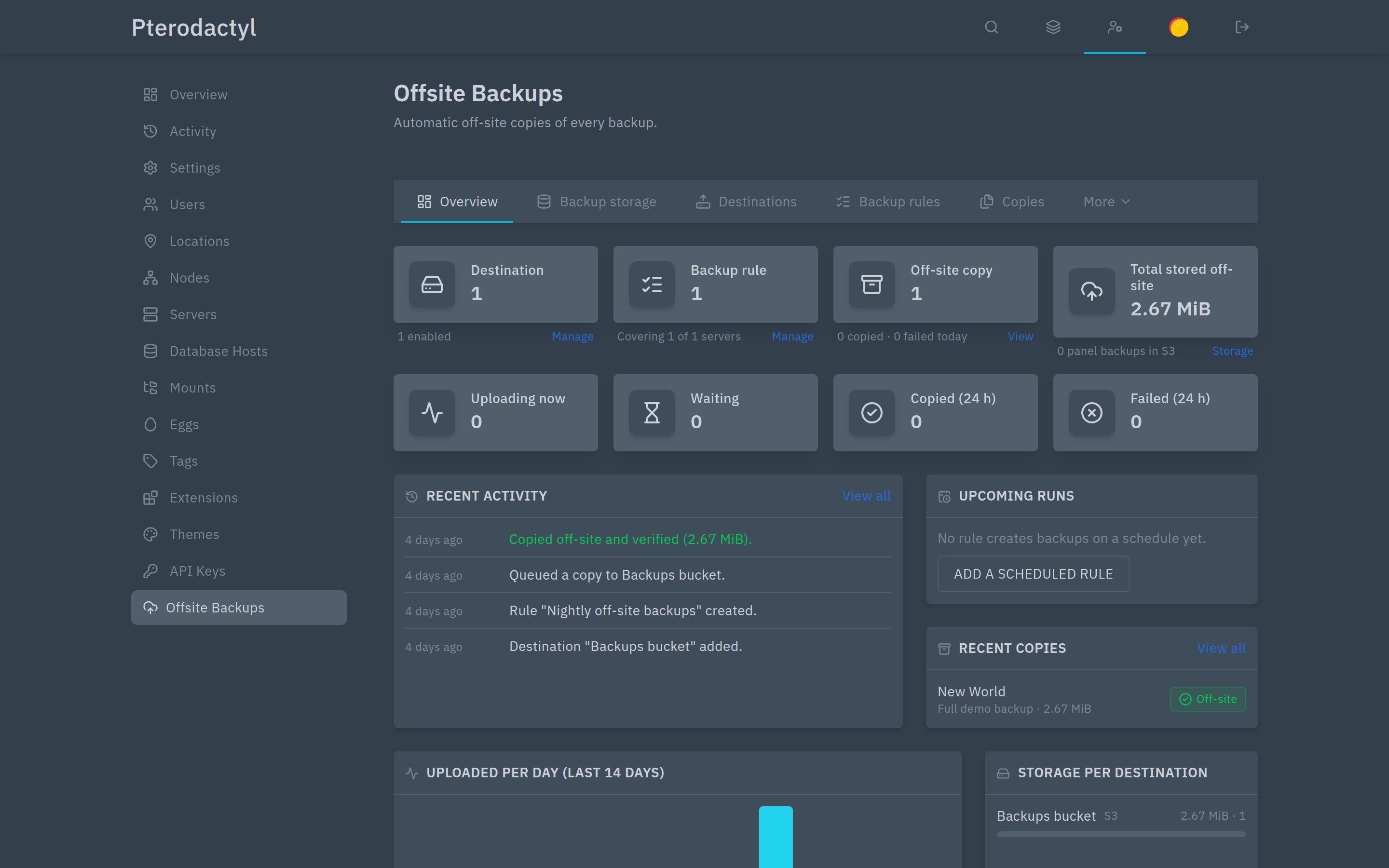
php artisan offsite-backups:statusHealthy output looks like this:
Queue mode ............ dedicated
Worker ................ online
Stored ................ 14.2 GiB in 38 copies
Queue depth ........... 0
Uploading now ......... 0
Failed (24 h) ......... 0
What to watch:
| Signal | Alert when | Meaning |
|---|---|---|
Worker: offline | immediately | no copies will run |
Failed (24 h) | above zero for an hour | a destination is broken |
Queue depth | above 50 and growing | the worker is stuck or too slow |
| Stuck copies | any | run offsite-backups:recover |
The admin Overview shows the same health, and alerts can go to email or a Discord webhook.
Commands
| Command | What it does |
|---|---|
offsite-backups:status [--json] | Worker, queue and destination health |
offsite-backups:work | The transfer worker (keep it running) |
offsite-backups:recover | Requeue stuck copies |
offsite-backups:retry --failed | Retry failed copies |
offsite-backups:sync | Copy existing backups that have no off-site copy |
offsite-backups:prune --dry-run | Show what retention would delete now |
offsite-backups:summary --force | Send the daily summary now |
offsite-backups:keys | List or export encryption keys |
offsite-backups:import DESTINATION | Rebuild records from objects in a bucket |
offsite-backups:decrypt IN OUT --kit=FILE | Decrypt a copy outside the panel |
Upgrading
Note the current state, in case you need to compare afterwards:
shphp artisan offsite-backups:status --json > /root/ob-before.jsonInstall the new package over the old one, either through Admin → Extensions → Offsite Backups → Update, or:
shphp artisan p:extension:install /path/to/offsite-backups-1.0.1.pteroext --enable php artisan optimize:clearRestart the worker so it picks up the new code.
Destinations, rules and copies are kept across an upgrade.
Backing up the extension's own data
The extension keeps three things outside your bucket:
- Destinations — credentials, encrypted with the panel's
APP_KEY. IfAPP_KEYis lost, they must be re-entered. - Encryption keys — stored encrypted with
APP_KEY. Export the recovery kits. - Copy records — which object belongs to which server and backup.
A normal database dump covers all three, but only alongside the same APP_KEY. Keep the two together, somewhere safe.
The buckets themselves are the real backup: each copy folder's manifest.json is enough to rebuild records with offsite-backups:import.
Disaster recovery: the panel is gone
You still have the bucket. The goal is to get files out of it.
With a new panel and this extension installed:
sh
php artisan offsite-backups:import 1 --dry-run   # 1 = destination id
php artisan offsite-backups:import 1
It walks the bucket, reads each manifest.json, and recreates backup records for the servers it finds. Servers must exist on the new panel with the same identifiers for restores to attach cleanly; copies for missing servers become orphans, which can be restored into any server.
With no panel at all:
- List the bucket with your provider's tools and find the archive you need.
- Download it.
- If it is encrypted, decrypt it with the recovery kit.
- Extract it into the server's volume directory on the node, then start the server.
- Fix ownership so the game server can read the files.
The manifest.json beside each archive tells you the original name, size, checksum, server and time.
Retention
| Setting | Effect |
|---|---|
| Keep newest N copies | Per server, per destination. Older copies are deleted from storage. |
| Grandfather-father-son | Keeps daily, weekly, monthly and yearly representatives. |
| Delete copies older than N days | A hard age limit, applied after the rules above. |
| Keep only this many local backups | How many stay on the node once copies are verified. |
| Delete the node copy after upload | Removes the local archive once the copy is verified. |
Locked backups and unverified copies are never deleted. Preview a retention change before trusting it:
sh
php artisan offsite-backups:prune --dry-runCapacity planning
Each copy adds only a few KB of metadata, so total size is roughly the number of copies multiplied by the archive size.
Watch for:
- Temporary space — each upload part is buffered in the panel's storage. Leave a few hundred MB free.
- Database growth — one row per copy plus events. Tens of thousands of copies is fine.
- Download costs — restores and downloads cost money on S3, B2 and Wasabi; R2 and Hetzner do not charge.
Security
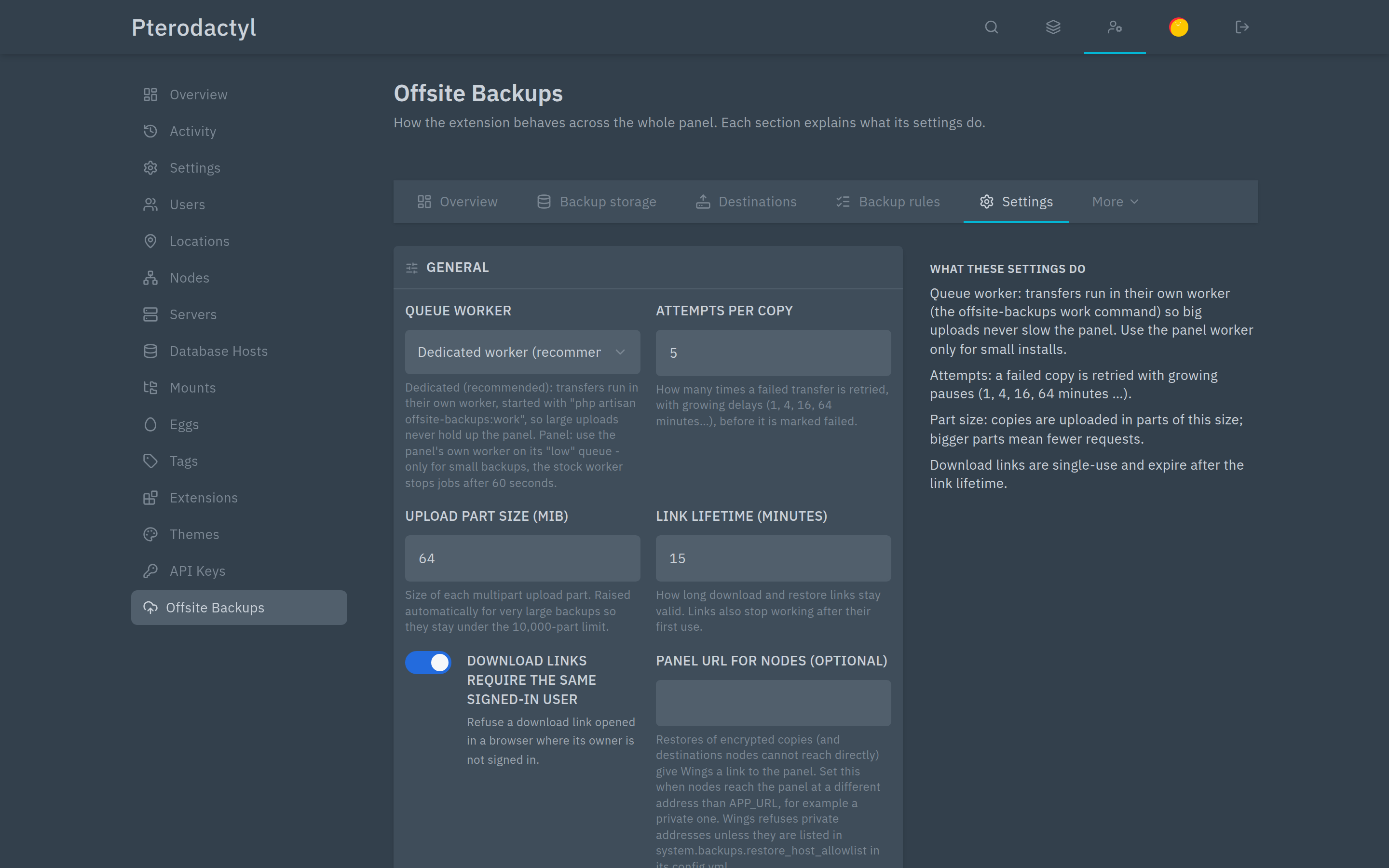
- Destination credentials are encrypted at rest and never shown again after saving.
- Connections to private network addresses are blocked by default, per destination.
- Download links are single-use, expire after 15 minutes by default, and can require a login.
- Every restore, download, delete and settings change is written to the audit log.
- Subusers only see what their Offsite Backups permissions allow.
Review the Activity page after any staffing change.